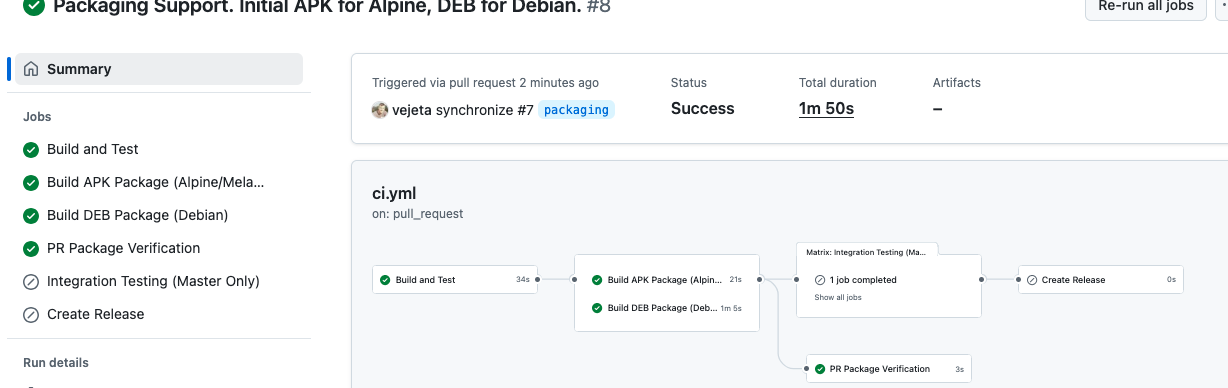
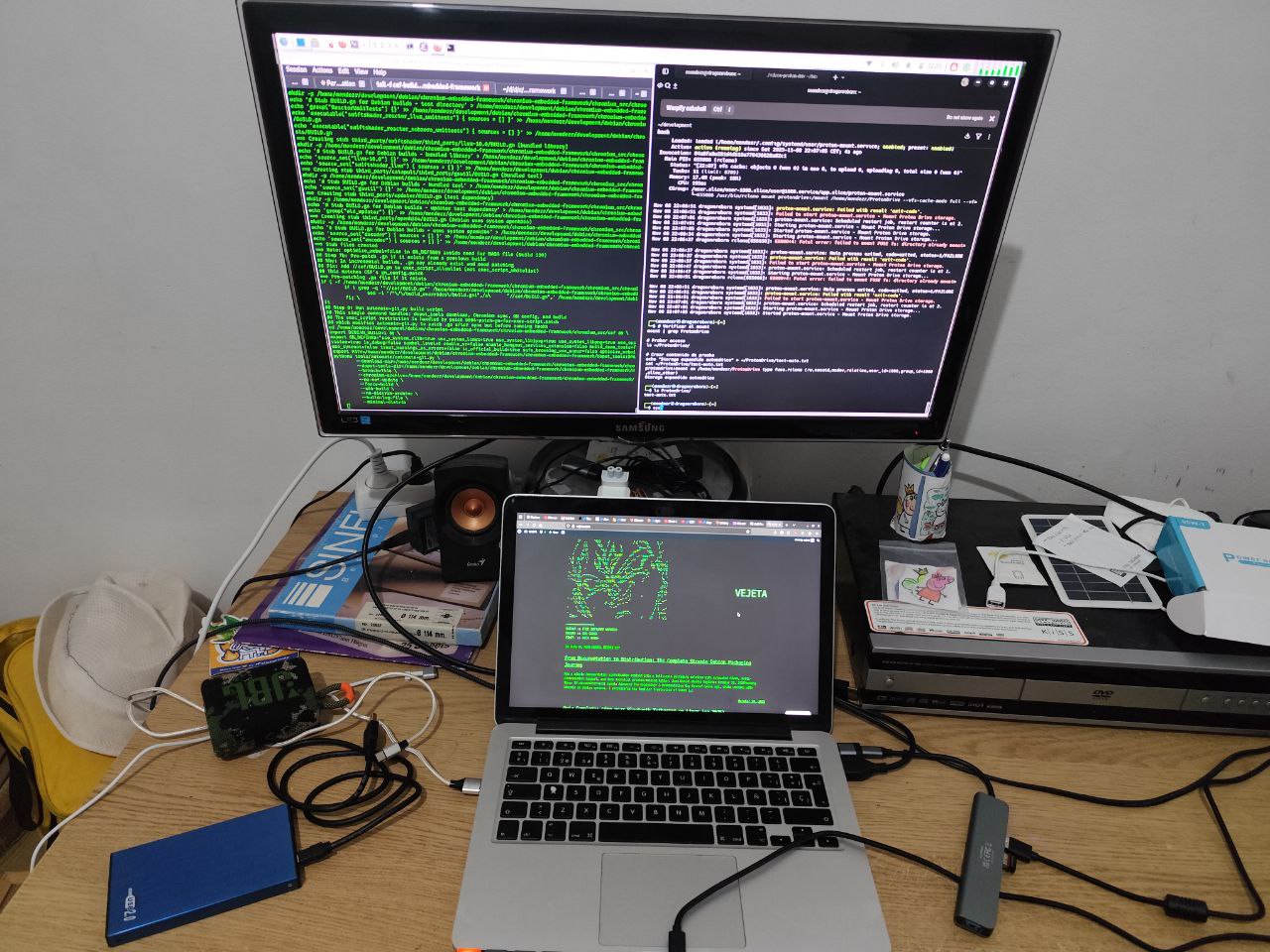
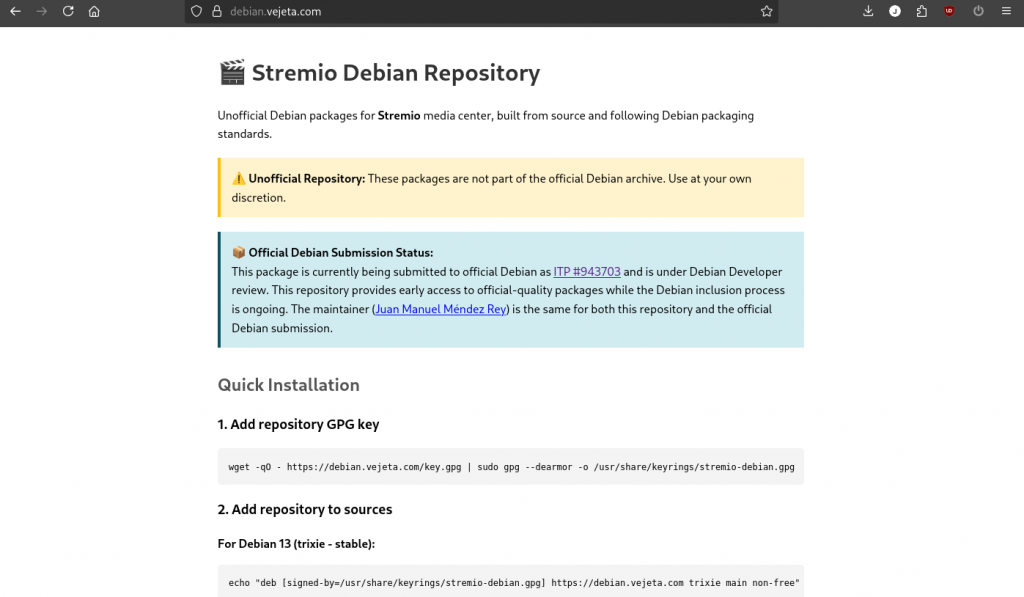
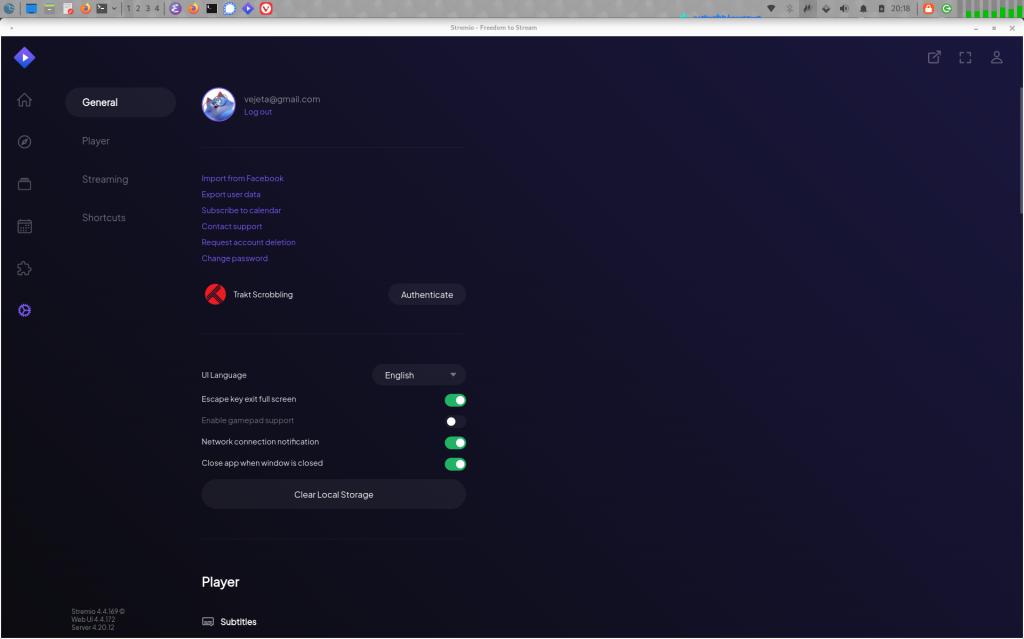
Stremio was the first package I attempted to build when starting contributing to Debian as a regular contributor. It was quite a journey since the ones who have been following this blog know…
First, I packaged the old stremio-qt5 (based in QT5 who is reaching its end of life soon, so all the patches that were needed and the weeks fighting to make it compile are now an adventure to tell to my grandchildren.
Then, I packaged stremio-cef, the package based on Chromium Embedded Framework, that required to compile CEF itself as a library for Debian, a road that took me months to complete and was my introduction to contributing to the Debian Chromium team.
As of 24 September 2026, Stremio is part of Debian itself:
Package
Where
What it is
stremio 1.2.0+ds-1
Debian unstable, main
The GTK4 / libadwaita / WebKitGTK 6 client
stremio-server-installer 1
Debian unstable, contrib
Fetches the streaming server component at install time
Ten new Rust crates went into Debian main as prerequisites along the way (webkit6, webkit6-sys, javascriptcore6, javascriptcore6-sys, epoxy, libmpv2, libmpv2-sys, byteorder-lite, piper, discord-rich-presence).
If you are on unstable/sid, install Stremio from Debian, not from here.
This repository used to ship a package called stremio at version 4.4.181+dfsg-1, which was the older Qt5 client. Debian’s package is 1.2.0+ds-1. Since 4.4.181 sorts above1.2.0, apt treats Debian’s package as a downgrade and will not switch you over on its own. Two things are happening here, in two steps:
Step 1 (now). The Qt5 client has been renamed to stremio-qt5, and this repository ships a small transitional stremio package that pulls it in. Nothing breaks: the app you had keeps working, just under the name stremio-qt5, and apt moves the “manually installed” mark over to it by itself, so apt autoremove will not take it away later.
Note that plain apt upgrade will not do this: it is not allowed to install new packages, so it reports stremio as kept back. Use:
sudo apt full-upgrade
(verified in a clean unstable chroot against the packages actually published here). After it runs, the leftover transitional stremio package shows up as no longer required, and sudo apt autoremove clears it.
Step 2 (announced separately, later). This repository will stop shipping the stremio name entirely. From then on, stremio means Debian’s package, and you can switch with:
sudo apt remove stremio # removes only the empty transitional package
sudo apt install stremio stremio-server-installer
You can do that today already if you prefer, with:
stremio-server-installer asks for confirmation and then downloads the streaming server component from Stremio’s own servers, verifying its checksum.
It replaces the old stremio-server package from this repository (which was in non-free and shipped that component directly), and it is now the piece all the clients share: it installs server.js under /usr/share/stremio/, which both Debian’s stremio and this repository’s stremio-qt5 read from.
If you use the CEF client, upgrade it before installing Debian’s stremio
The version of stremio-gtk published here until now installs three files that Debian’s stremio package also installs:
With that version installed, dpkg would refuse to unpack Debian’s package.
While this repository still serves the stremio name you will not hit it (apt gives you this repository’s package instead), but it becomes relevant as soon as you go for Debian’s. The new stremio-cef moves those files to com.stremio.Stremio.CEF.*, so sudo apt full-upgrade resolves it for you as part of moving you from stremio-gtk to stremio-cef.
Verified in a clean chroot: after that upgrade, Debian’s stremio and the CEF client install side by side, as /usr/bin/stremio and /usr/bin/stremio-cef.
What this repository still carries
Debian does not have these, so they stay here:
stremio-cef (formerly stremio-gtk): the CEF-based client. Renamed because Debian’s own client is GTK4 too, so “-gtk” no longer distinguished anything; the real difference is the renderer. A transitional stremio-gtk package moves existing installs across.
stremio-qt5: the Qt5 client, formerly published here as stremio
librust-cef-dev, librust-cef-dll-sys-dev: Rust bindings to CEF
Recommended: pin this repository below Debian
Now that the official packages come from Debian, it is worth telling apt to prefer Debian for anything that exists in both. Create /etc/apt/preferences.d/99-vejeta:
With priority 100 (below the default 500), packages from here are only used when Debian does not provide them, which is exactly what this repository is for from now on.
Debian stable and testing
Debian’s stremio is in unstable and will migrate to testing in the normal way and will eventually trickle down to Ubuntu and other Debian derivatives. Users of bookworm and trixie are not affected yet and can keep using this repository as before.
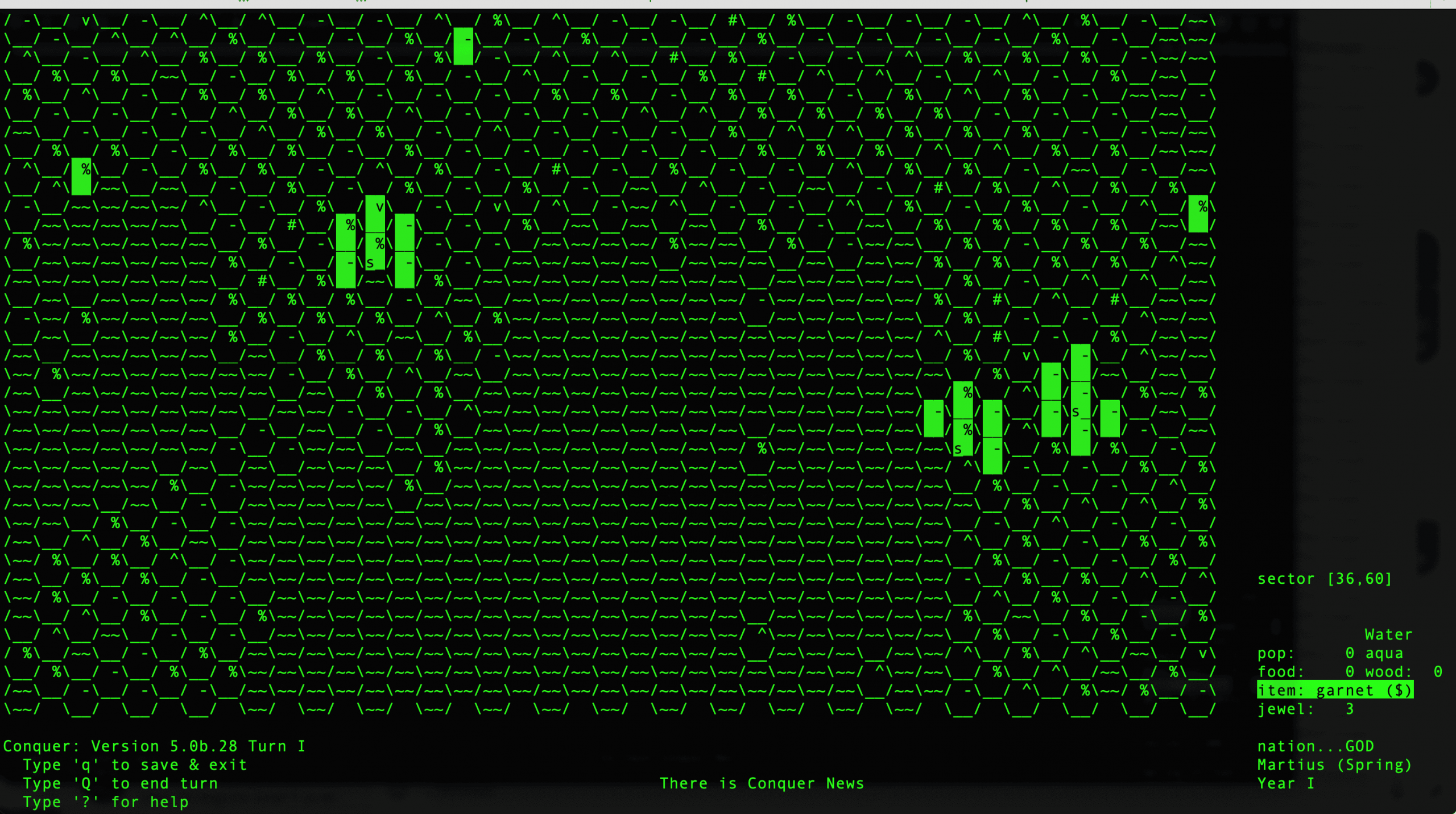
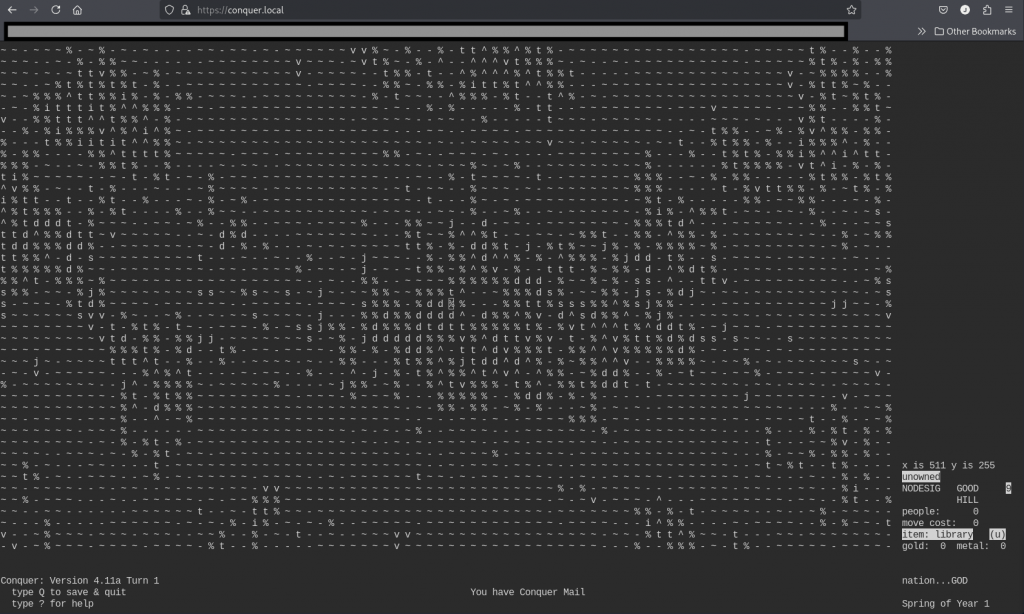
In the 1990s, while I should have been finishing my degree, I was playing Unix Conquer on AIX, arguing on Usenet, lurking IRC, and learning how systems actually worked. I didn’t get the diploma, but I got something the degree couldn’t teach: the instinct for how UNIX software is supposed to feel.
Three decades later, that instinct is what drives this rescue. I’m a Debian contributor working toward becoming a Debian Developer: not there yet, still need sponsors for my uploads. xwpe is one of my adopted upstream projects and my path into the Debian community.
Rescuing a 1993 editor that nobody else would touch is exactly the kind of thing that happens when someone who grew up in the terminal culture of the 90s finally has the tools and the time to give back.
The Codename
The 1.6.x series is what I internally called in my head «xwpe 2026» and this is the release cycle that brought 33 years of dormant code into the present. It’s not a rewrite; it’s a restoration. We archived the scattered documentation that the early web was losing, wrote the manual the project always needed but never had (in texinfo), and fixed every layer of the rendering and compiler integration stack so that a user in 2026 can open even a .pas (Pascal) or .f90 (Fortran) file, press F9, and navigate errors exactly like Fred Kruse intended in 1993, but this time with UTF-8 on a modern terminal.
The Fossil
xwpe is a Borland-style programming environment for UNIX, written by Fred Kruse in 1993. Dennis Payne maintained it from 2000 to 2006, then silence. All the people that contributed to it probably switched to other IDEs…and Debian kept shipping it for 20 years as a de facto orphaned package: it compiled, so nobody looked closer. Curious users filed bugs (some of them were open for 22 years)
In May 2026, GCC 15 broke the build (#1098180). Andreas Tille’s asked for help in the #debian-tiny-tasks IRC channel. That’s when I stepped in…I remembered xwpe from my university days and this could be my first intervention to rescue a package, and not only package new ones.
Digital Archaeology
Restoring xwpe feels like software archaeology, and I started to love that title when I did something similar for conquer, the classic Unix game from the 80s by Ed Barlow and Adam Bryant. After someone issued a comment on that direction in Hacker News, and myself fancying to be regarded in such manner I adopted it easily.
With software archaeology you brush away layers of dust and find code that was solid for its era: a pattern-based compiler error parser, a manual double-buffer rendering system, overlapping popup save/restore. All designed in 1993 when ncurses was young and terminals were slow.
But 30 years of accumulated rot had set in:
The SCREENCELL migration (v1.6.0) changed screen cells from 2 bytes to 8 bytes for UTF-8. The popup save/restore system was never fully adapted: uninitialised heap data propagated through save/restore cycles, producing CJK characters and display artefacts after closing menus. valgrind showed 15,857 uninitialised-value errors.
The compiler error parser expected GCC’s 1990s backtick quoting `ret') but modern GCC uses single quotes ('ret'). The gnu_intstr pattern hadn’t been updated in decades. Error navigation (Alt-T/Alt-V) was silently broken. We updated it to the standard file:line:column: format that GCC has used since 4.8 (2013).
print_to_end_of_buffer stopped at the first blank line with a break. This meant any compiler that emits blank lines between errors (gfortran, clang with caret diagnostics) would only show the first error in the Messages window. A one-line bug with 20+ years of age.
Default compiler names: f77 for Fortran, pc for Pascal. Nobody had updated them since the 1990s. We updated to gfortran (with .f90/.f95/.f03/.f08), fpc (with .pas/.pp and a dedicated ${FILE}(${LINE},${COLUMN})* pattern), and added javac as a 5th default compiler.
Hardcoded -c -o flags: e_comp() passed gcc-specific -c and -o to every compiler. Free Pascal and javac choked on -c. We made the flags conditional on compiler style: GNU compilers get them, non-GNU compilers don’t.
Compiler exit code ignored: ret = 0 was hardcoded after wait() since the Payne era. xwpe never knew when compilation failed. Fixed with WIFEXITED/WEXITSTATUS.
We tested every compiler interactively: write a program with deliberate errors in two separate functions, press F9, verify errors appear in Messages, press Alt-T/Alt-V to navigate between them, verify the cursor jumps to the right line and column. gcc, g++, gfortran, fpc, and javac all passed. Kruse’s 1993 pattern-matching engine (${FILE}, ${LINE}, ${COLUMN}, wildcards) handled them all and we just had to update the default patterns and teach e_comp() that not every compiler is gcc.
Each fix reveals the next layer. Fix the SCREENCELL buffer, and you can finally see compiler errors. Fix the error display, and you discover error navigation is broken. Fix the pattern, and you find the output buffer was being truncated. Fix the truncation, and you discover the compiler defaults are from 1993.
Waking the Debugger
The deepest layer was the debugger. xwpe talks to gdb through pipes: it forks a child, launches gdb, and communicates by writing commands and reading responses. This is the feature that made xwpe an IDE, not just an editor. And it had been dead for years.
Three bugs, stacked like geological strata:
Stratum 1: SIGCHLD cannibalism. The signal handler for child process death used wait(), which reaps any child. When xwpe called popen("tty") to learn its terminal name, the tiny tty subprocess would finish, trigger SIGCHLD, and wait() would eat it. Then pclose() called waitpid() for a process that was already gone. Deadlock. The fix: waitpid(-1, &statloc, WNOHANG): non- blocking, reap only what’s ready.
Stratum 2: phantom compilation. When the .o file was already up to date, xwpe skipped the compiler but still called the function that waits for compiler output. wait() with no child process fails instantly, and xwpe concluded that compilation had failed. The debugger never got a chance to start.
Stratum 3: phantom linking. Same bug, one function up. The executable was up to date, linking was skipped, but the wait-for- linker code still ran and «failed.»
Each stratum masked the one below. You couldn’t see the SIGCHLD bug until the phantom compilations were fixed. You couldn’t see those until the SCREENCELL rendering was fixed. You couldn’t fix rendering until UTF-8 worked.
After all three fixes: Ctrl-G B sets a breakpoint. Ctrl-G R starts gdb. F8 steps through code. Variables update in the Watch window. This is when the feeling of bliss rained upon me, seeing the breakpoints and the colors of the line moving over each line.
The call stack shows the function chain. It works exactly like Borland Turbo Debugger, which is exactly what Fred Kruse was building in 1993.
The User Screen Problem
But where does printf output go? In Borland’s DOS IDE, the program had its own video page: switching was a hardware register flip, instantaneous. On UNIX terminals, Kruse used smcup/rmcup (alternate screen buffer) to switch between the editor and the program’s output. Every F8 step: rmcup, gdb executes one line, smcup back. On a 1993 VT220 over serial, this was invisible. On a 2026 terminal emulator over SSH, it’s a distracting flicker.
XWPE 1.5 solution, was to disable the User Screen entirely under ncurses with a broken #ifndef NCURSES guard that made Ctrl-G P always return an error. Problem hidden, not solved.
Our approach: eliminate the screen switching entirely. Use a pseudoterminal (pty) to capture program output in memory. The program writes to a pty slave (which looks like a real terminal: isatty() returns true, stdout is line-buffered). xwpe reads from the pty master into a buffer. Ctrl-G P displays the buffer. No smcup/rmcup during stepping, zero flicker.
But there’s a catch that every IDE developer hits: glibc buffers stdout even when connected to a pty, because the pty is opened by gdb (not inherited as fd 1). The output sits in a userspace buffer inside the debugged process and never reaches the pty until the program exits or calls fflush(). The solution, shared by gdbgui, Eclipse CDT, and VS Code cpptools: after each step, send call (void)fflush(0) to gdb. This forces the inferior’s stdout buffer to flush, and the output reaches the pty master where xwpe can read it.
The same pattern applies to jdb (Java Debugger) integration. jdb’s VM startup is asynchronous: you send run and the prompt returns immediately, but the breakpoint hits seconds later when the JVM finishes loading. A naive blocking read busy-loops at 40% CPU waiting for output that hasn’t arrived yet.
The solution, borrowed from JDEE (the Emacs Java IDE that solved this in the 2000s): use poll() with a timeout. Zero CPU while waiting, immediate response when data arrives, graceful error if the JVM doesn’t start. JDEE uses an accumulator pattern to buffer partial output and scan for prompt patterns: we do the same in C with strstr() on a growing buffer.
The lesson: the 1993 codebase doesn’t need 1993 integration patterns. poll(), ptys, fflush(0): these are the same tools that Eclipse CDT and VS Code use. The only difference is we write them in 50 lines of C instead of 5000 lines of TypeScript.
How We Debugged the Debugger
Restoring an IDE’s debugger means debugging the debugger itself. We used every technique in the book, escalating as the bugs got deeper:
Level 1: fprintf to file. The first tool. When the SCREENCELL popup artefacts appeared, we wrote cell values to /tmp/xwpe-switch-trace.txt before and after each save/restore cycle. This revealed that malloc‘d buffers contained uninitialised heap data: the fix was calloc.
Level 2: valgrind. When fprintf wasn’t enough, valgrind showed 15,857 uninitialised-value errors from the schirm buffer system. Every one traced back to the SCREENCELL migration that changed cells from 2 to 8 bytes without updating the allocation paths.
Level 3: gdb trace files. For the debugger communication, we logged every command sent to gdb and every response received: TX: r > /dev/pts/5, RX: Starting program:, RX: (gdb). This revealed that the gnu_intstr pattern was frozen in the 1990s (backtick quoting), that print_to_end_of_buffer stopped at blank lines, and that WpeSignalChild was stealing child processes from pclose.
Level 4: standalone reproduction. When the pty output capture wasn’t working, we wrote a 60-line C program that reproduced xwpe’s exact pipe+fork+pty setup. The test worked; xwpe didn’t. The difference: timing. The drain function read the pty master before gdb had delivered the data. Moving the drain to after call (void)fflush(0) fixed it.
Level 5: conditional compile tracing. For jdb integration, we added #ifdef JDB_TRACE instrumentation throughout the debugger communication path. Compile with -DJDB_TRACE, run, read /tmp/xwpe-jdb-trace.txt. The trace showed every byte received from jdb, every prompt detected, every state transition. This revealed the root cause: a 30-year-old pipe file descriptor leak where the parent kept the write-end of the stdout pipe open after fork, making read() unable to detect EOF. The fix: three close() calls in the parent, three in the child.
Level 6: poll() with timeout. For jdb’s asynchronous VM startup, we replaced the busy-loop read() with poll() and a 10-second timeout. Zero CPU while waiting, immediate response when data arrives, graceful error on timeout. This is the JDEE (Emacs) pattern from the 2000s, implemented in C.
Each level built on the previous. You can’t use valgrind until fprintf shows you where to look. You can’t write a standalone test until the trace log shows you what’s different. You can’t use poll() until you understand why read() never returns EOF.
The trace infrastructure stays in the code. Compile with -DJDB_TRACE and you get a complete protocol log. This is how professional IDE developers debug debugger integrations: and it’s how a 1993 codebase learns to talk to a 2026 JVM, in a few hundred lines of C instead of a million lines of TypeScript.
The Essence
What surprised me most is how well the core architecture holds up. Fred Kruse designed a pattern-matching system for compiler error messages (${FILE}:${LINE}:${COLUMN}:*) that’s flexible enough to handle gcc, g++, gfortran, javac, and fpc with per-language configuration. The double-buffer rendering system (schirm/altschirm) with manual save/restore is remarkably efficient: we evaluated migrating to ncurses panels but concluded the original design is actually better for xwpe’s use case.
Each layer we peeled back revealed the next. The bugs were never in Kruse’s logic: they were in the integration: signal handlers interacting with pclose, terminal states drifting between ncurses and manual smcup/rmcup, error patterns frozen in 1993 while compilers evolved. The architecture was solid; it just needed someone to sit down and listen to what the code was trying to say.
The goal isn’t to rewrite xwpe. It’s to preserve the essence of Kruse and Payne’s code while fixing what 30 years of neglect in the archives broke. A restoration, not a reconstruction, like finding an old gem of a book in a antique library.
At this point a new analogy came to my mind. I think this is not a fossil anymore or an old startship at the scrapyard…this is still old, but something starts to shine, and the lights are coming back to the bridge…the Millennium Falcon flies again.
The Debian Angle
Debian had xwpe in a drawer. It compiled, so it passed CI.
Andreas has been instrumental in facilitating the upstream handover. As Debian sponsor, he shepherded the NMU that kept xwpe in the archive while I was setting up the new upstream at Codeberg. Without that bridge, the package could have been removed from unstable before the rescue could begin.
Taking over as upstream maintainer (with Dennis Payne’s blessing) and simultaneously maintaining the Debian package closes the loop. Bugs get fixed at the source, not papered over with patches, an impossible task if you ask me. The Debian package becomes a thin wrapper around a living upstream.
Closing the Bug List
We crawled over the xwpe mailing list from 1998–2003: 487 messages. Users reported debugger freezes, «Can’t open PIPE» errors, «Error loading program» failures. John Connor’s debugger crash (June 2000). Jan Ypma’s «process vanishes» on Debian (May 2000). Diego’s «Can’t start the debugger» on X11 (October 2000). B O’Donnell’s «trip to La-La land» (July 2001). That helped me to what I could solve next.
Twenty years later, we can trace every one of these to the bugs we fixed:
Debugger freezes: WpeSignalChild used wait() which stole child processes from pclose(). The popen(«tty») call to learn the terminal name would hang forever. Fixed with waitpid(-1, WNOHANG).
«Error loading program»: e_comp and e_p_make called e_p_exec(-1) when no recompilation was needed, causing a phantom wait() failure. The debugger concluded compilation had failed andgave up.
User Screen broken: Old xwpe’s #ifndef NCURSES guard unconditionally disabled Ctrl-G P when compiled with ncurses: which is always, on every Linux distribution since the late 1990s. Nobody could see program output during debugging for 20+ years.
Screen flicker on stepping: Kruse’s original design switched between alternate and normal screen (smcup/rmcup) on every F7/F8 step. Invisible on a 1993 DOS video page flip, but a distracting flash on modern terminals. We replaced this with a pseudoterminal that captures output in memory: zero flicker, and Ctrl-G P displays it cleanly.
These weren’t obscure edge cases. They were the core debugging workflow, broken for the entire ncurses era. Every user who tried the debugger between 2000 and 2026 hit one of these walls.
Java Debugging: the jdb Integration
Adding jdb (Java Debugger) as xwpe’s 5th debugger backend exposed a 30-year-old pipe file descriptor leak that affected ALL debugger types. The parent process kept the write-end of the stdout pipe open after fork(), making read() unable to detect EOF. gdb tolerated this by accident: its session never ends unexpectedly. jdb, with its fragile JVM startup timing, crashed into it immediately.
The fix: three close() calls in the parent, three in the child. A bug that survived 30 years because nobody added a second debugger backend that was strict enough to expose it.
We researched how other editors handle jdb: JDEE (Emacs, ~2003) parses jdb text output with an accumulator pattern. Vim has a basic jdb wrapper. Neovim uses nvim-dap with the java-debug DAP server. Helix, Kakoune, Micro, and Nano have no Java debugging at all, as far as I know.
xwpe could be right now the only terminal editor with Java debugging built into the binary: no plugins, no external DAP server, no Metals or java-debug setup. Open a .java file, press F8, set a breakpoint, step through code. The debugger auto-selects jdb when it sees a .java extension. It uses poll() with a 10-second timeout to wait for the JVM to start (the JDEE accumulator pattern, implemented in C). Program output is captured from jdb’s pipe and displayed via Ctrl-G P.
The method was tight: trace instrumentation (-DJDB_TRACE) on one side, interactive testing on the other. Run jdb, watch exactly what happens: «breakpoint doesn’t change color», «popup appears but shouldn’t», «wpe closes without asking»: and each symptom points at a specific code path. The trace file (/tmp/xwpe-jdb-trace.txt) showed every byte exchanged with jdb. Between what I saw on screen and the trace log, each bug narrowed to a single line of C.
The Millennium Falcon
xwpe is during these days the Millennium Falcon of IDEs. It may not look like much: 3000 lines of 1993 C, a TUI that draws its own borders with ACS characters, a pattern-matching engine for compiler errors that uses ${FILE}:${LINE}:${COLUMN}:* instead of regex. But it has what matters.
Fred Kruse built it in 1993, when Linux was two years old and gcc didn’t have colour output. It was visionary: an integrated compile-edit-debug cycle on UNIX terminals, years before Eclipse or VS Code existed. That it survived until 2006 with bugs like the SIGCHLD handler stealing child processes and the User Screen permanently disabled speaks to the solidity of the core design.
It does what VS Code does with a million lines of TypeScript and an Electron runtime. It does it in 3000 lines of C, in 2MB of RAM, over an SSH connection to a headless server, on a Raspberry Pi, in a Docker container, on a serial console. Anywhere you have a terminal and a C compiler, xwpe works.
And it speaks your language. Borland users get the F-key driven menus and the F9 compile cycle they remember. Emacs users get Ctrl-P/N/F/Bfor cursor movement, Ctrl-A/E for line start/end: all the readline keybindings they have in muscle memory. Kruse built both into the same editor in 1993, two decades before VS Code offered «Emacs Keymap» as an extension.
The mailing list went silent in 2006. The last user report was about a debugger crash. We now know exactly why: wait() instead of waitpid(), in a signal handler written in the 1990s, triggered every time popen("tty") finished before pclose() could reap it. A one-line fix for 20 years of silence.
The Bug Trail: 487 Messages, 50 Issues, One Trace
The hardest bugs to find are the ones nobody can reproduce reliably. The Redo crash: press Ctrl-R after undoing a search-and-replace and watch xwpe die with SIGSEGV. This was reported in 2017 as issue 77 on Alessandro Magnasco’s GitHub fork. Guus Bonnema tried to investigate it. Nobody fixed it. The issue sat open for 9 years.
We found it by following a trail across 30 years of scattered sources:
487 mailing list messages (1998-2003) from Payne’s identicalsoftware.com archive, preserved in our xwpe-archive repo
50 open issues from Magnasco’s GitHub fork, triaged one by one against our codebase
Miroslav Janiš’s Czech review (1998), which documented the -c flag bug we fixed 28 years later
Guus Bonnema’s experimental branch, which identified the search/replace undo problems but couldn’t pinpoint the cause
The LUG-S debugger course (2001), with GIF screenshots transcribed for our manual
9 Debian BTS reports spanning 2002-2025
The Redo crash turned out to be a single uninitialized field.
To understand it, think of xwpe as having two notebooks. The «editor notebook» is where the Replace command writes down «I just replaced 5 characters». The «undo notebook» is where Undo reads «how many characters were replaced?» to know how to reverse the operation.
The problem: Kruse wrote the answer in one notebook (the editor’s global search state, f->ed->fd.rn) but read it from a different notebook (the window’s local copy, b->f->fd.rn). The local copy was never filled in. It contained whatever garbage happened to be in memory when the window was created: in our trace, 189 instead of 5.
So when Redo tried to «redo the replacement», it thought it needed to save 189 characters from a line that only had 5. It wrote past the end of its buffer, corrupted the memory allocator’s internal bookkeeping, and crashed inside malloc() itself: not even in xwpe’s own code. The stack trace showed unlink_chunk deep inside libc, which is nearly impossible to diagnose without knowing what led to the corruption.
We found it by adding a trace log that printed the undo entry’s fields before each operation. The log showed a=(5,189): five characters saved, but 189 recorded as the replacement length. Should have been a=(5,5). The 189 was the smoking gun.
The fix: one line. b->f->fd.rn = fd->rn; copy the answer from the right notebook to the one that Undo actually reads. A bug that existed since 1993, reported in 2017, diagnosed in 2026.
No single source would have led us there. The mailing list told us which features were fragile. The GitHub issues told us which scenarios crashed. The code archaeology told us which fields were out of sync. Together, they drew a map to a one-line fix for a 33-year-old bug.
The Mouse: Three Decades, Three Backends
When we opened we_mouse.c, we found 1189 lines of mouse UI logic: menus, scrollbars, window resize by dragging corners, text selection, drag-and-drop between file manager windows. Every interaction you’d expect from a Borland IDE. All of it written by Fred Kruse in 1993.
And at the bottom of we_term.c, the terminal mouse backend:
int fk_t_mouse(g)
     int *g;
{
   return(0);
}
Four lines. A stub. A placeholder that said: «I don’t know how mouse will work on terminals yet, but when someone figures it out, plug it in here.»
The plug was fk_mouse: a function pointer. X11 mode set it to fk_x_mouse (reading Xlib ButtonPress events). Terminal mode set it to this stub. All 1189 lines of we_mouse.c never knew or cared which backend was active. They called fk_mouse(g) through the pointer and got coordinates back. Textbook Unix polymorphism in C.
In 1998, Sebastiano Suraci at the University of Catania plugged in GPM: the General Purpose Mouse daemon for the Linux console. His we_gpm.c called Gpm_Open(), installed a handler callback, and set fk_mouse = WpeGpmMouse. The 1189 lines of mouse UI worked instantly. Kruse’s architecture held.
For 26 years.
Then ncurses changed. Sometime around ncurses 5.x-6.x, the library added its own internal GPM integration. When you call mousemask(), ncurses now opens its own GPM connection, reads events from the same socket, and delivers them as KEY_MOUSE. Two consumers fighting over the same gpm_fd. Events went to one handler or the other unpredictably. Coordinates disagreed: Suraci set gpm_zerobased=1 (0-based), ncurses expected 1-based and subtracted 1 internally. Clicks became erratic. Sometimes the menu responded, sometimes it selected text, sometimes nothing happened.
The fix was to let go of Suraci’s code. Not because it was wrong: it was perfect for 1998. But ncurses 6.x already does what Suraci did manually. We removed the direct Gpm_Open(), let mousemask() handle GPM transparently, and plugged ncurses mouse into Kruse’s fk_mouse stub. The same four-line function that was empty in 1993 now handles mouse clicks in xterm, gnome-terminal, kitty, tmux, and the Linux console with GPM: all through the same KEY_MOUSE + getmouse() path.
Three backends across three decades, and we_mouse.c never changed. That’s engineering.
The Drag: Teaching a 1993 Editor to Follow Your Hand
Click works. Drag is another world.
And not only for the mouse, this one took me days.
When we plugged ncurses mouse into Kruse’s fk_mouse stub, clicks worked instantly: every menu, scrollbar, and window switch lit up through the 1189 lines of we_mouse.c without a single change. Three backends, three decades, Kruse’s architecture held. We said so in the previous chapter.
But try to drag a window’s title bar, and nothing happens. The window doesn’t move. Your hand goes across the trackpad and the cursor just sits there, blinking. Because ncurses mode 1000: the default: only reports press and release. The hundred mouse positions your hand traces between them? Invisible. The terminal doesn’t send them. The editor never sees them.
Enter mode 1002.
The Protocol Nobody Documents
xterm mouse mode 1002 (\033[?1002h) is the drag tracking protocol. While a button is held down, the terminal sends a REPORT_MOUSE_POSITION event for every cell the cursor crosses. This is how Midnight Commander does panel resize. This is how tmux does pane drag. This is how vim does visual selection across lines. Not mode 1000 (clicks only), not mode 1003 (all motion, even without buttons: floods the input), but 1002: motion while button held. Exactly what window drag needs.
We enabled it at terminal init. Two escape sequences: \033[?1002h\033[?1006h. The second enables SGR extended coordinates: without it, terminals wider than 223 columns encode garbage because the X10 coordinate byte overflows. Both disabled cleanly at exit.
And suddenly, fk_t_mouse was receiving a continuous stream of coordinates. Kruse’s drag loops in we_mouse.c: written in 1993 for X11’s MotionNotify events: started moving windows in ncurses!. The title bar followed the mouse. The corner resize handles worked. Three decades of dormant drag code, waking up because the right two bytes were sent to the terminal at init time.
The Popup Trap
It worked perfectly. Until F9.
Press F9 to compile. The «Compiling…» popup appears, the compiler runs, results go to Messages. Close Messages. Now try to drag a window. The title bar grabs: and never lets go. The window follows your mouse forever, even after you release the button. The UI is stuck in an infinite drag loop.
The root cause took three failed workarounds before we stopped patching and started engineering.
Here’s what happens. The user is happily clicking around: e_mouse.k says «button 1 pressed» or «button 1 released» and everything works. Then the F9 popup opens. The popup has its own event loop. Inside that loop, ncurses delivers a PRESSED event (the click that activated something inside the popup) and its corresponding RELEASED event. The popup’s event loop consumes both. It exits.
Now fk_t_mouse runs in the main event loop. It reads e_mouse.k, which still says «pressed» from the LAST event the main loop saw: before the popup stole the release. The drag loop starts. But the physical button is released. No RELEASED event will ever arrive (the popup already ate it). The drag loop waits forever.
We studied how other TUI frameworks handle this:
Midnight Commander: uses per-widget mouse capture flags. The active widget claims the mouse, and when it releases, the flag clears. But MC doesn’t have xwpe’s stacking window manager with arbitrary popups.
Turbo Vision (Borland’s own C++ TUI framework from 1990): uses an exclusive drag loop with GetMouseEvent in a tight while(button_held) loop. The loop owns the mouse until release. Popups can’t interrupt because the drag loop doesn’t yield to the event dispatcher.
ncurses itself: provides no popup-aware mouse state. It reports events. What you do with them is your problem.
Neither MC’s per-widget capture nor Turbo Vision’s exclusive loop fit xwpe’s architecture. Kruse’s design dispatches mouse events through a function pointer (fk_mouse), and the drag code in we_mouse.c assumes it gets a clean press-drag-release sequence. Popups break that assumption.
g_mouse_buttons: One Bitmask to Rule Them
The solution: separate physical button state from event dispatch.
int g_mouse_buttons = 0;
One global integer. Bit 0 is button 1. Updated in exactly two places: e_t_getch (the keyboard reader) sets the bit on PRESSED, clears it on RELEASED. fk_t_mouse (the mouse dispatcher) readsg_mouse_buttons to decide if a drag is happening, instead of relying on e_mouse.k.
The key insight: e_t_getch always sees every mouse event, even inside popup event loops, because popups call e_t_getch too. So g_mouse_buttons always reflects the true physical state. When the popup’s event loop processes a RELEASED event, g_mouse_buttons lears the bit. When the popup exits and the main loop resumes, fk_t_mouse reads g_mouse_buttons = 0 and knows: no drag. No stuck mouse. No infinite loop.
But that’s only half the fix.
e_mouse_flush: Draining the Dead
After a popup closes, the ncurses event queue may still contain stale mouse events: phantom RELEASEDs from clicks inside the popup, or motion events from the user’s hand moving while the popup was open. If these reach fk_t_mouse before a fresh click, they confuse the state machine.
Worse: ncurses sometimes silently disables mode 1002 during popup event processing. The escape sequence handler gets confused by the popup’s output, and drag tracking stops. The terminal stops sending motion events. The next drag attempt fails silently: you click the title bar, hold the button, move, and nothing happens. No error, no diagnostic, just a dead mouse.
e_mouse_flush() fixes both problems:
Drain: loop getmouse() until it returns ERR: empty the queue of stale events.
Re-enable: re-send \033[?1002h\033[?1006h: force mode 1002 back on, regardless of what ncurses did internally.
Reset: g_mouse_buttons = 0: start from a known state.
Called at the exit of e_mess_win (the popup message handler) and e_opt_kst (the options/dialog handler). Every code path that opens a popup and processes its own mouse events must call e_mouse_flush on exit.
The Test
Three windows open. Two source files and Messages. Drag each window by its title bar: smooth, continuous, follows the hand. Press F9 : compiler runs, Messages appears. Drag Messages down, drag a source window up, drag the third window. Release. Click somewhere else. Everything works.
The mouse log shows the proof: gb=1 (g_mouse_buttons bit 0 set) throughout every drag, bstate=0x10000000 (REPORT_MOUSE_POSITION) for every motion event, bstate=0x1 (BUTTON1_RELEASED) at the end of every drag. No orphaned presses, no stuck state, no mode 1002 dropouts.
Three hundred lines of mouse events, and every single one falls into the pattern: press, continuous motion, release. Press, motion, release. The state machine never breaks. The bitmask never lies.
Kruse’s we_mouse.c: 1189 lines of drag handlers, resize handlers, menu handlers, scroll handlers: never knew any of this happened. It called fk_mouse(g), got clean coordinates back, and moved windows. The same function pointer, the same abstraction, the same architecture. 1993 to 2026.
The Relayout: Windows That Remember Where They Belong
Drag is pointless if resize destroys your layout.
When the terminal resizes (SIGWINCH in ncurses, ConfigureNotify in X11), the screen buffer is reallocated and all windows must adapt. The naive approach: clamp coordinates to the new bounds. It works for shrinking but fails for growing: windows that were pushed to the edge during a shrink never reclaim their space when the terminal grows back.
The deeper problem: ratio drift. If you have a window at row 15 of 30, and the terminal shrinks to 20 rows, integer truncation puts it at row 10. Grow back to 30: truncation puts it at row 15. Looks fine. But do it 50 times: shrink by 1, grow by 1, shrink by 1, grow by 1: and the accumulated truncation error slowly walks the window toward the top of the screen.
We designed an edge-attachment algorithm:
For each window coordinate, check if it was touching a screen edge before the resize. A window whose bottom was at MAXSLNS - 2 (the last usable row) is «bottom-attached»: its bottom follows the screen edge. A window whose top is at row 1 is «top-attached»: it stays at row 1. Interior coordinates: not touching any edge : scale proportionally with round-to-nearest:
int e_scale_y(int y, int old_h, int new_h)
{
    return (y * new_h + old_h / 2) / old_h;
}
The old_h / 2 term is the round-to-nearest correction. Without it, 15 * 20 / 30 = 10, then 10 * 30 / 20 = 15: looks reversible. But 7 * 20 / 30 = 4 (truncated from 4.67), then 4 * 30 / 20 = 6: you lost a row. Accumulated over many cycles, the window collapses. With rounding: 7 * 20 + 15 = 155, / 30 = 5 (rounded from 4.67), then 5 * 30 + 10 = 160, / 20 = 8: overcorrects by one, but the error doesn’t accumulate. The window oscillates by one row instead of drifting monotonically.
Three windows, Messages at the bottom, terminal shrinking and growing wildly: every window stays where it should. The editor fills the top two-thirds, Messages fills the bottom third, and the proportions hold.
Bounds-Safe Rendering
One more wall between drag and crash: SCHIRM_INBOUNDS.
When a dialog is wider than the terminal (common during extreme shrink), the rendering loop tries to write cells past the schirm allocation. In 1993, terminals didn’t resize. In 2026, every drag of a tiling WM border triggers a resize. Writing past the allocation corrupts the heap: random crashes seconds or minutes later.
Every schirm access macro: e_pr_char, e_gt_char, e_gt_col, e_pt_col, e_gt_flags, e_pt_flags: checks bounds before touching memory. Out-of-bounds writes are silently dropped. The dialog renders the part that fits; the part beyond the terminal edge is invisible. Grow the terminal back, and the dialog reappears complete. No crash, no corruption, no state to recover.
This is the same pattern that modern terminal emulators use (st, alacritty, foot): the model can be larger than the view, and the view clips silently. The renderer never writes outside the view.
What Kruse Knew
Kruse wrote fk_t_mouse as a four-line stub that returned zero. He wrote fk_mouse as a function pointer. He wrote 1189 lines of drag logic in we_mouse.c that never mentioned X11 or ncurses or GPM.
In 1993, the only mouse backend that worked was X11 (fk_x_mouse). Terminal mice didn’t exist yet: GPM was experimental, xterm mouse support was rudimentary. But Kruse designed the separation anyway. He couldn’t have known that mode 1002 would exist, that ncurses would add mousemask(), that GPM would be absorbed into ncurses, that popups would desynchronise button state. But he designed an architecture that survived all of it.
We added g_mouse_buttons, e_mouse_flush, e_relayout_windows, and SCHIRM_INBOUNDS. Four mechanisms, each solving a problem that didn’t exist in 1993. And we_mouse.c: the file that actually moves windows, resizes them, selects text, scrolls content, didn’t change at all.
That’s not luck. That’s Kruse design.
The X11 Ghost Problem
Kruse’s X11 rendering used raw Xlib: XDrawImageString for text, XDrawLine for window borders, manual pixel management for everything. An array called extbyte tracked which cells had border line segments. When a popup or File Manager was closed, the border pixels persisted on the X11 window: ghost images that wouldn’t go away.
The bug was architectural: extbyte is a flat array with no concept of window stacking. A window behind the editor could have its border flags set, and e_x_refresh would dutifully draw those XDrawLine segments on top of the editor’s content. The fix that finally worked: clear extbyte for the interior of every window in the stack on each refresh. Pragmatic, not elegant: but it catches every code path.
Dennis Payne saw this coming. In his TODO file he wrote: «Use higher-level APIs instead of xlib and the lowest curses interface.» He knew that pixel-level rendering was a maintenance trap.
The Output Problem: From xterm to Messages
In Kruse’s original design, the debugged program’s output went to the terminal (via smcup/rmcup screen switching). In X11 mode, Payne added an xterm window: a shell script that launched the debugger inside an xterm via named pipes. The xterm stole keyboard focus, closed before you could read the output, and left xwpe in an unresponsive state if anything went wrong.
We unified program output for both terminal and X11 mode into the Messages buffer: the same window used for compiler errors (F9). Now Ctrl-G P (User Screen) appends program output to Messages with full scroll. Ctrl-F9 Run for interpreted languages (Python, LaTeX) captures output via popen() directly into Messages, bypassing xterm entirely. No context switch, no focus steal, no window to close.
The same approach that Borland would have used if their IDE had run on UNIX: one output pane, multiple uses, always accessible.
Following st: the Xft Migration
The final piece of the X11 puzzle was fonts. Kruse used XDrawImageString, which is Latin-1 only. No accented characters, no Cyrillic, no emoji. In terminal mode, ncursesw handles everything: the terminal emulator’s font stack does the work. In X11 mode, xwpe IS the renderer.
We first tried a hybrid approach: Xft for some characters, XDrawImageString for others. It failed spectacularly. The two rendering systems use different metrics, different GC state, different background fill semantics. Mixing them produced white backgrounds, invisible text, and border artefacts. Every partial fix broke something else.
I stopped patching and made the call: implement Payne’s recommendation completely: go all-Xft: instead of monkeypatching the hybrid. It was faster than chasing one more partial fix, and it was the right call.
We studied the st (suckless terminal) source and read how it renders text. st uses Xft for 100% of its rendering: no XDrawImageString anywhere. The patterns we adopted:
XftFont via fontconfig (monospace:size=10): any TrueType font
XftDrawRect for background fill (one call per cell)
XftDrawStringUtf8 for text (with per-character font fallback)
Font cache (frc[] array): fontconfig lookup once per codepoint, cached forever. Same pattern as st, same struct layout.
XftDraw on Pixmap: all rendering goes to an off-screen Pixmap, XCopyArea to the window at the end. Zero flicker on resize.
FC_COLOR for emoji fallback: fontconfig prefers Noto Color Emoji for codepoints above U+2600
The migration touched we_xterm.c (rendering), WeXterm.c (font init), WeXterm.h (Xft fields), configure.ac (Xft detection), and Makefile.am (link flags). The original XDrawImageString path is preserved inside #else for systems without Xft.
With libXft 2.3.5+ (shipped in Debian since 2022), BGRA color emoji rendering works natively. The same XftDrawStringUtf8 call that renders hello also renders hello 🎉 with a full-color emoji glyph from Noto Color Emoji.
The Wide Character Problem
Emoji and CJK characters take two columns on screen (wcwidth() = 2). But xwpe’s SCREENCELL buffer stores one character per cell. When an emoji occupies cells 5 and 6, cell 6 needs to know it’s the «continuation» of cell 5: otherwise the cursor treats it as an independent character, delete removes only half, and the rendering draws a background rectangle over the second half.
We studied how st, vim, alacritty, and libvterm handle this. Every implementation converges on the same pattern: flag bits on the cell.
We added a flags field to SCREENCELL with two values:
CELL_WIDE on the first cell (the emoji itself)
CELL_WIDE_SPACER on the second cell (the continuation)
The rendering code skips spacer cells. The cursor jumps over them. Delete removes both cells. Mouse clicks on a spacer map to the wide char. The same invariant maintenance pattern from st: every write operation checks both flags and clears the partner cell.
This is a transversal change: it touches unixmakr.h (the struct), we_wind.c and we_progn.c (rendering), we_edit.c (cursor and delete), and we_mouse.c (click mapping). But the pattern is clean and well-tested across the industry.
Python, LaTeX, and the Scripted Language Pattern
The 1.6.2 cycle added full support for interpreted languages:
Python: 35-keyword syntax highlighting, F9 via python3 -m py_compile, pdb as 6th debugger backend (breakpoints, F8 stepping, auto-skip of internal Python frames, output capture).
Ctrl-F9 Run detects interpreted languages (comp_sw & 1) and runs the interpreter directly via popen(), capturing output to Messages. No xterm, no subprocess management, no focus stealing.
The pattern is extensible. Adding a new compiler takes ~10 lines in we_prog.c (compiler name, flags, error pattern, file extensions). If the compiler emits file:line:column: format (the GNU standard since 2013), it works with zero configuration.
In v1.6.3 we added Perl (perl -c, 46-keyword syntax highlighting, Ctrl-F9 run) and COBOL (cobc, 50-keyword syntax highlighting, GNU mode), bringing the total to 9 default compilers.
v1.6.0: UTF-8/SCREENCELL migration, terminal resize, modern keys
v1.6.1: Modern autotools (configure.ac + Makefile.am)
v1.6.2: The release that brought xwpe from 1993 to 2026:
v1.6.3 (released 2026-06, in Debian unstable): the usability release.
The fossil lives. It compiles your code, navigates your errors, steps through your functions, shows you the output: with anti-aliased TrueType fonts, color emoji, and UTF-8 from terminal to X11. And now it feels right under your fingers: Tab cycles through dialogs, colors are legible, Shift-Tab goes backwards, errors follow the cursor.
Fred Kruse built the architecture in 1993. Dennis Payne maintained it for a decade. We brought it to 2026, following st’s rendering patterns and the industry’s wide-character conventions. The code went from bitmap fonts and Latin-1 to fontconfig and Noto Color Emoji: and the core design held. Every function pointer, every double buffer, every pattern matcher that Kruse wrote still does exactly what it was designed to do. We just gave it better tools to work with.
xwpe 1.6.3 is at the date of the release of this post in Debian unstable. The same binary is verified end to end on thanks to a new addition: 134 console tests and 58 headless-X11 tests pass against the installed package, so «it builds» is now «it works.»
And the part that still gets me: Fred Kruse, who wrote that first version in 1993, has been in touch. He wants to try it. Thirty-three years after he built it, and two decades after the last release, the original author wants to watch his editor run again. Dennis Payne gave his blessing to the handover; Kruse gave the rescue its meaning.
When v1.7 lands with DAP (Debug Adapter Protocol) support: Rust, Go, JavaScript and C# debugging from a 1993 TUI: that’s when the Millennium Falcon gets its public debut. For now, it flies again.
Before and after:
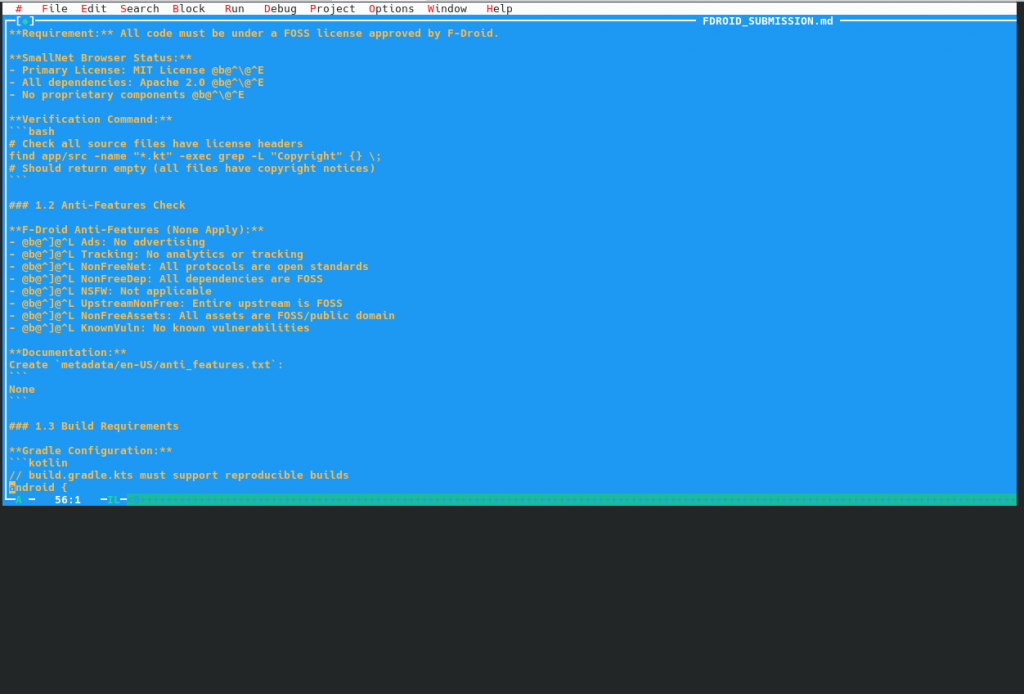
Xwpe 1.5.30: No UTF-8 support. Old scrollbars style
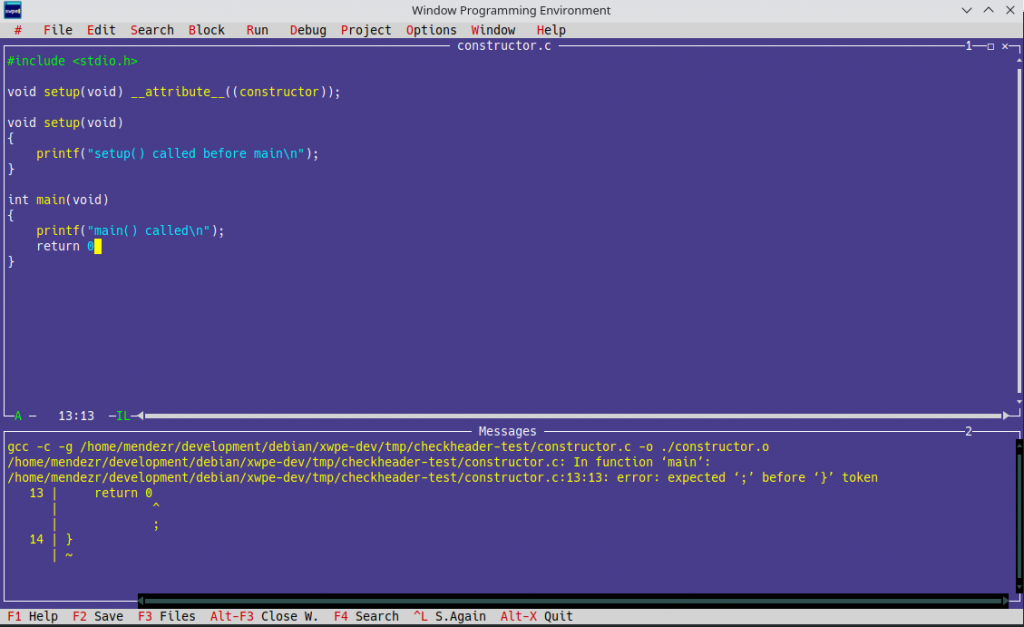
XWPE 1.6.3, showing Ctrl-F9 output in the Messages Window
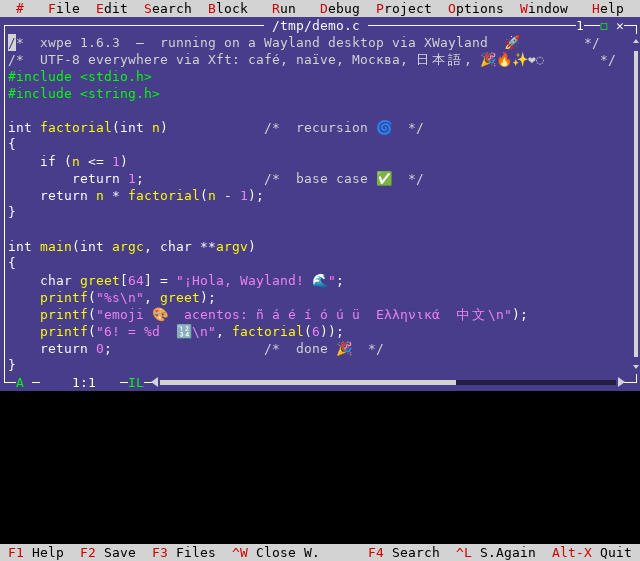
Testing XWPE in Wayland with UTF-8 support, opening a file with «emojis». «The widecell problem»
Nine days debugging one function call, and other lessons from browser-engine integration
Introduction
When Stremio released their new GTK4-based shell using Chromium Embedded Framework (CEF) instead of Qt5/QtWebEngine, it provided the perfect test case for my Debian packaging journey, specially after QT5 has become an End Of Life software that won’t be supported soon.
It was the good usecase to test a big our freshly-packaged CEF library. What followed was a month of debugging that revealed the gap between «library compiles» and «library works.»
This article documents the technical challenges of integrating CEF with a real-world application for Debian packaging.
The Application Architecture
Stremio-gtk is a relatively simple application in concept:
Create a CEF browser window
Load https://app.strem.io/shell-v4.4
Provide IPC bridge for the web app to control native features
Handle video playback through MPV
In practice, each step revealed hidden complexity.
Challenge 1: Resource File Discovery
The Problem
CEF processes need to locate several resource files at startup:
This works for the browser process. Subprocesses crashed immediately.
Root Cause
CEF’s multi-process architecture spawns specialized subprocesses for rendering, GPU operations, and utility functions. These subprocesses call cef_execute_process() as their first action and exit without ever seeing the Settings structure.
The subprocess entry point:
fn main() {
    // For subprocesses, this returns immediately with exit code
    let exit_code = cef_execute_process(&args, None, None);
    if exit_code >= 0 {
        std::process::exit(exit_code);
    }

    // Only browser process reaches here
    let settings = Settings { ... };
    cef_initialize(&settings);
}
By the time Settings could be applied, subprocesses have already failed to find resources.
Solution
CEF searches for resources relative to libcef.so, not the application binary. Symlinks in the library directory solve the problem:
# In /usr/lib/x86_64-linux-gnu/:
icudtl.dat -> ../../share/cef/icudtl.dat
v8_context_snapshot.bin -> ../../share/cef/v8_context_snapshot.bin
For settings that subprocesses need, command-line switches must be added in the on_before_command_line_processing callback, which is called for all process types:
With resources loading correctly, the GPU subprocess now launched—and immediately crashed. CEF retried nine times before giving up:
[GPU] error_code=1002
GPU process isn't usable. Goodbye.
No stack traces, no meaningful logs. The GPU process died before producing diagnostics.
Investigation
Adding --enable-logging --v=1 revealed the GPU process was failing to initialize OpenGL contexts. The error suggested EGL/GLES library issues.
CEF’s GPU process expects ANGLE (Almost Native Graphics Layer Engine)—Google’s OpenGL ES implementation built on Vulkan and DirectX. It’s not interchangeable with Mesa’s EGL implementation despite similar APIs.
Solution
The CEF package must bundle its own ANGLE libraries:
Relative paths failed because the ICD loader doesn’t resolve paths relative to the JSON file.
Challenge 3: The Nine-Day IPC Debugging
The Symptom
CEF launched, pages loaded, UI rendered—but video playback fell back to HTML5 instead of the native MPV player. The web app was treating stremio-gtk as a browser rather than a native shell.
The Qt WebChannel Protocol
Stremio’s web application expects to communicate with its native shell through Qt’s WebChannel protocol. The original Qt5 shell creates a transport object:
Nine days of debugging IPC formats, serialization, and message types. The actual fix was one function call that the Qt5 shell made explicitly. The documentation existed—in QML code that had to be read line by line.
Challenge 4: Native Widget Rendering
The Problem
After IPC worked, a minor but visible issue remained: HTML <select> dropdowns didn’t work. Clicking them did nothing.
Root Cause
CEF’s offscreen rendering mode (used by stremio-gtk) renders everything to a buffer via OnPaint. Native OS widgets like dropdown menus require real window handles.
The hidden native <select> elements sync state for AngularJS compatibility.
The Final Patch Count
After all debugging, stremio-gtk required 24 patches:
Category
Count
Examples
Build system
4
Cargo vendor, system paths
CEF integration
6
Resource paths, ANGLE, zygote
IPC protocol
8
Transport object, JSON format, initShellComm
Runtime fixes
4
User agent, event signals
UI workarounds
2
Select replacement, focus handling
Testing Insights
What Unit Tests Miss
The CEF package passed all its tests. Stremio-gtk revealed:
Resource symlinks needed in unexpected locations
ANGLE is required, not optional
Subprocess initialization differs from main process
IPC protocol details matter for real applications
Integration Test Value
A demanding application like stremio-gtk (video, IPC, GPU, offscreen rendering) stress-tests features that simple «load webpage» tests never touch.
Upstream Bug Discovery
Several issues exist in upstream stremio-linux-shell. The Flatpak likely works by accident of bundling or timing. These fixes should flow back.
Conclusion
The stremio-gtk packaging revealed that CEF integration is more than linking against a library. The multi-process architecture, resource discovery, GPU requirements, and IPC protocols all require careful handling for distribution packaging.
The nine-day IPC debugging produced one line of actual code. The other 23 patches required understanding internals that aren’t documented anywhere except the source code of working implementations.
For packagers considering CEF applications: expect to bridge the gap between upstream assumptions and distribution requirements. Read the Qt5 implementation if one exists. Test early and test thoroughly.
Resolving ITP #915400 after seven years—the complete technical breakdown
Introduction
The Chromium Embedded Framework (CEF) has been sitting in Debian’s packaging queue since December 2018. Bug #915400 documented the need: obs-studio wanted browser sources, casparcg-server needed HTTP support, and various applications required a lighter alternative to Electron.
Previously I packaged Stremio (QT5 based) for Debian and Wolfi, but QT5 is EOL (end of life), so I went on and decided to package the next generation of Stremio (GTK based) but this package depends on chromium-embedded-framework that did not exist en Debian.
This article documents the technical approach that finally produced working Debian packages.
Why CEF Is Different
Most C/C++ projects follow a predictable pattern: download tarball, run configure, make, install. CEF breaks every assumption.
The Upstream Build Process
CEF’s official build uses automate-git.py, which:
Clones depot_tools from Google
Runs gclient sync to fetch ~1GB of Chromium sources
Downloads prebuilt toolchains from Google Cloud Storage
Optionally uses reclient for distributed compilation
Builds both Debug and Release configurations
Creates binary distribution packages
This process assumes internet access, Google infrastructure, and a ~90GB working directory.
Debian Requirements
Debian builds must be:
Network-isolated during compilation
Reproducible from source
Using system toolchains where possible
Compliant with the Filesystem Hierarchy Standard
The gap between these requirements and upstream assumptions drove most of the packaging complexity.
Architecture: The Dual-Source Approach
Problem: Chromium Integration
CEF doesn’t bundle Chromium in its tarball. It expects to download it during build. Including Chromium sources in the CEF orig tarball would:
Create a ~1.5GB source package
Duplicate Debian’s existing chromium sources
Create maintenance burden tracking two projects
Debian Chromium doesn’t provide a Source package that we can use as a dependency. To overcome that, we are going to create an experimental Debian package that will get the Debian Chromium Sources and will add it as a dependency in a subfolder. This approach will allow other Debian Developers to weigh in and see that this solution works and when the Debian Chromium Team eventually publishes the sources, we just need to add it as a regular dependency.
Solution: Build Dependency Model
The packaging treats Chromium as a build dependency rather than bundled source:
The debian/rules file extracts Chromium sources into chromium_src/ before the build begins. This happens in the clean target to ensure sources exist before any build steps.
Benefits
Reuse Debian Chromium work: When the chromium team patches a vulnerability, CEF can rebase
Smaller source package: Only CEF-specific sources in the orig tarball
Clear separation: CEF patches vs Chromium patches are distinct
Future: chromium-source Package
Bug #893448 proposes a chromium-source binary package that would provide extracted Chromium sources. When resolved, CEF could simply Build-Depends: chromium-source and the manual tarball extraction disappears.
The Patch Stack
CEF Patches (16 total)
Build System Decoupling
0001-skip-gclient-revert.patch
CEF’s gclient_hook.py reverts all files to git checkout HEAD state before building. This destroys any Debian patches applied during the build. The patch removes the revert logic.
0002-skip-chromium-checkout.patch
CEF expects to run git clone for Chromium. This patch skips the checkout and uses pre-extracted sources.
0003-use-system-clang.patch
CEF downloads LLVM toolchains from Google Cloud Storage. This patch configures the build to use Debian’s clang-19 package.
0004-create-reclient-stub.patch
Google’s reclient provides distributed compilation. Rather than removing all references, a stub script satisfies the build system without network access.
0005-add-rust-toolchain-stub.patch
Similar to reclient—a stub for the Rust toolchain downloader that delegates to system rustc.
Chromium’s build fetches resources at multiple points. Each download point needs a patch to either:
Use pre-packaged alternatives
Skip optional components
Error clearly rather than hang
C++23 / libc++ Compatibility (8 patches)
Debian sid uses libc++-19 with strict C++23 enforcement. The unique_ptr destructor now requires complete types:
// Old code (worked in C++17/20):
class RenderFrame;
std::unique_ptr<RenderFrame> frame_;  // OK: RenderFrame forward-declared

// C++23 libc++:
// Error: RenderFrame must be complete for ~unique_ptr
Patches add forward declarations and reorder includes in:
v8/src/heap/ – Garbage collector internals
media/gpu/ – Video acceleration
ui/gfx/ – Graphics primitives
components/viz/ – Compositor
Example fix in v8/src/heap/marking-state.h:
// Before patch:
class HeapObject;
std::unique_ptr<HeapObject> obj_;

// After patch (add include):
#include "src/objects/heap-object.h"
std::unique_ptr<HeapObject> obj_;
Compiler Updates (6 patches)
GCC 15 and Clang 19 deprecated various constructs:
fix-aggregate-optional-emplace.patch
std::optional::emplace with aggregate initialization changed behavior. Affected code in IPC serialization.
remove-deprecated-warning-flags.patch
Several -W flags no longer exist in clang-19.
fix-libclang-paths.patch
Clang’s internal header paths changed between versions.
Patches to prefer system libraries where ABI-compatible:
libxcb
fontconfig
minizip
zstd
harfbuzz (partial)
Some libraries cannot use system versions due to ABI differences (V8, Skia, ANGLE).
Build Configuration
GN Arguments
The build uses GN (Generate Ninja) with extensive configuration:
gn_args = [
    'is_official_build=true',
    'is_debug=false',
    'symbol_level=0',

    # Toolchain
    'clang_use_chrome_plugins=false',
    'use_lld=true',
    'use_custom_libcxx=false',  # System libc++

    # Disable Google services
    'use_official_google_api_keys=false',
    'enable_nacl=false',
    'enable_widevine=false',

    # Hardware acceleration
    'use_vaapi=true',
    'use_v4l2_codec=false',

    # System libraries
    'use_system_libffi=true',
    'use_system_zlib=false',  # ABI issues
    ...
]
The use_custom_libcxx Decision
CEF defaults to bundling its own libc++ (use_custom_libcxx=true). This avoids ABI compatibility issues but:
Duplicates system library
May conflict with applications using system libc++
Increases binary size
After extensive testing (builds 108-140), use_custom_libcxx=false works with the C++23 compatibility patches. This is the preferred configuration for Debian integration.
ANGLE: OpenGL ES implementation over Vulkan/DirectX. Not interchangeable with Mesa’s EGL—the API is similar but internals differ. Installed in /usr/lib/x86_64-linux-gnu/cef/ with RPATH configuration.
SwiftShader: Software Vulkan implementation for systems without GPU acceleration. The ICD JSON must use absolute paths:
CEF loads resources early in initialization—before most application callbacks. The library searches relative to libcef.so, not the application binary.
The Symlink Solution
# In /usr/lib/x86_64-linux-gnu/:
icudtl.dat -> ../../share/cef/icudtl.dat
v8_context_snapshot.bin -> ../../share/cef/v8_context_snapshot.bin
This allows subprocesses (renderer, GPU, utility) to find resources when spawned with cef_execute_process(), before any application configuration is applied.
Testing and Validation
Unit Tests
CEF includes ceftests but many tests require network access or graphical display. The packaging runs a subset of offline-capable tests.
Integration Testing
The definitive test is building a real application. stremio-gtk exercises:
Offscreen rendering
Multiple process types
IPC protocols
GPU acceleration
Resource loading
Issues discovered through stremio-gtk that passed unit tests:
Resource symlinks needed in library directory
ANGLE libraries required (not just preferred)
SwiftShader ICD paths must be absolute
Subprocess command-line switch handling
Maintenance Considerations
Chromium Updates
When Debian updates Chromium, CEF should track:
Obtain matching CEF branch for new Chromium version
Rebase debian/patches/chromium/ onto new sources
Test build and resolve new conflicts
Update version numbers throughout
Security Updates
CEF inherits Chromium’s attack surface. Security updates to Chromium should flow to CEF promptly. The dual-source architecture helps: updating chromium_*.orig.tar.xz and rebuilding catches most issues.
Upstream Coordination
CEF upstream is responsive to packaging concerns. Several patches developed for Debian have been submitted upstream or informed upstream decisions.
Conclusion
CEF packaging requires treating a browser engine as a library—with all the complexity that implies. The dual-source architecture, extensive patch stack, and careful path configuration produce packages that integrate with Debian’s ecosystem rather than fighting it.
The approach documented here should transfer to other distributions with similar policies. The patches are organized by purpose (build system, compatibility, paths) to aid porting.
# Check Thunderbolt devices
sudo dmesg | grep -i thunderbolt | head -10

# Should show:
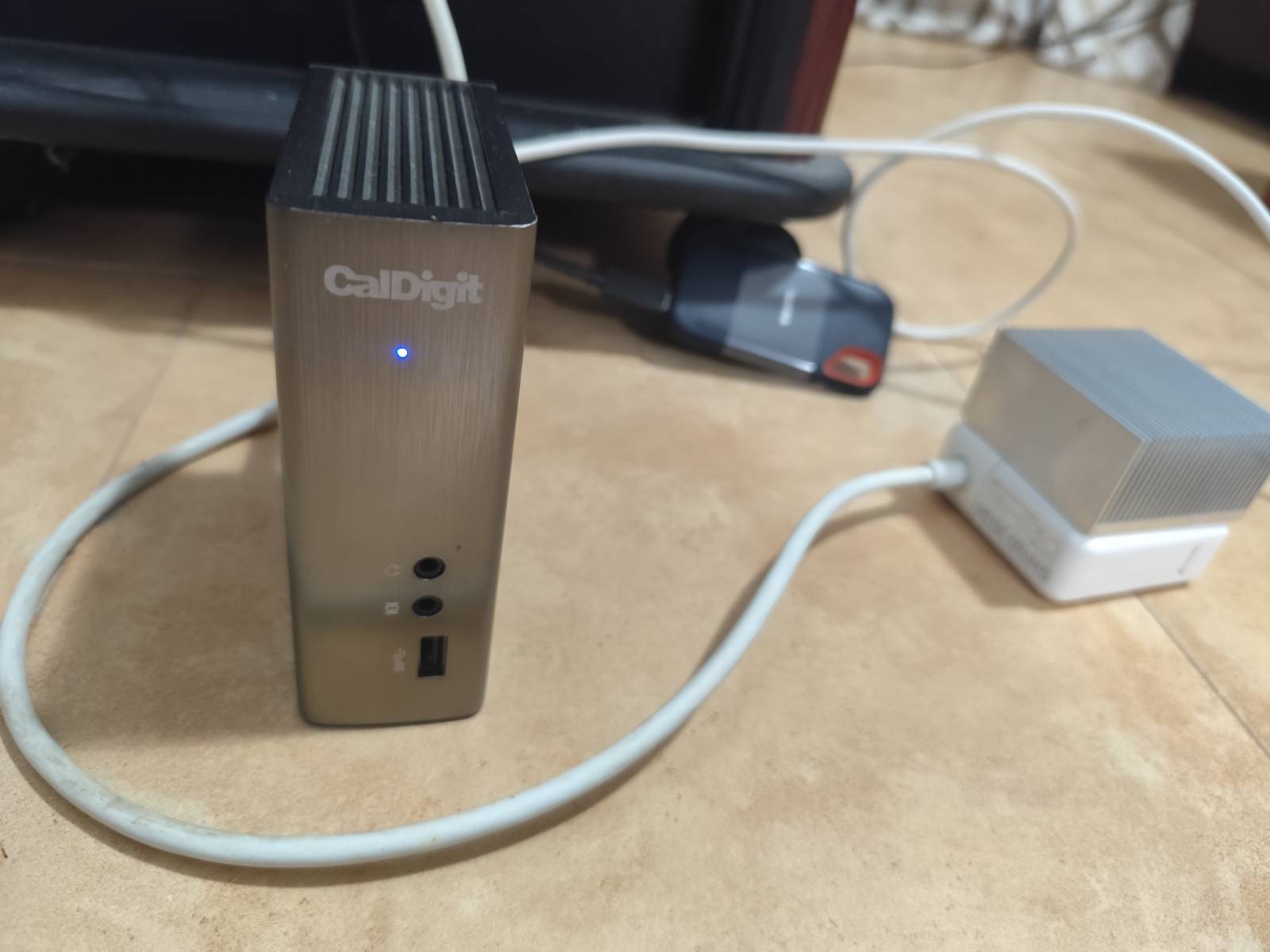
# thunderbolt 0-3: CalDigit, Inc. Thunderbolt Station 2
# No more "device link creation failed" errors

# Verify device listing
ls -la /sys/bus/thunderbolt/devices/
Step 3: Device Authorization with Bolt
Install and configure bolt for Thunderbolt device management:
# Install bolt (if not already installed)
sudo apt update && sudo apt install bolt

# Check device status
sudo boltctl list

# The CalDigit should show as "authorized"
Step 4: Verify USB Functionality
Connect USB devices to the CalDigit and verify recognition:
# Check USB device tree
lsusb -t

# Check connected storage devices
lsblk

# Verify USB devices by-id
ls -la /dev/disk/by-id/ | grep usb
Expected Results
After applying the solution:
Thunderbolt Detection: CalDigit appears as thunderbolt 0-3: CalDigit, Inc. Thunderbolt Station 2
Authorization Status: Device shows as authorized in bolt
USB Devices: Connected USB devices appear normally in lsusb and lsblk
No Error Messages: No more «device link creation failed» or port timeout errors
Troubleshooting Commands
Diagnostic Commands
# View Thunderbolt module parameters
cat /sys/module/thunderbolt/parameters/*

# Check PCI tree for Thunderbolt devices
sudo lspci -tv | grep -A 5 -B 5 Thunderbolt

# Monitor real-time device connections
sudo dmesg -w

# Check device authorization status
cat /sys/bus/thunderbolt/devices/0-3/authorized

# View detailed PCI bridge information
sudo lspci -vvv -s 06:00.0
The solution addresses the core compatibility issues between MacBook Pro 11,1, Liquorix kernel, and CalDigit Thunderbolt Station 2
All kernel parameters are essential for proper operation
USB devices connected to the CalDigit should work normally after applying the solution
The fix is persistent across reboots once GRUB is updated
Monitor dmesg logs if any issues arise with new USB devices
Success Indicators
CalDigit Detection: Device appears in bolt list as authorized No Error Messages: Clean dmesg output for Thunderbolt events USB Functionality: Connected devices appear in lsusb and lsblk Stable Operation: No disconnect/reconnect cycles Storage Access: USB storage devices mount and operate normally
Hardware: MacBook Pro 11,1 (Mid 2013) Software: Kali Linux Rolling 2025.4 + Liquorix kernel 6.17.8 Device: CalDigit Thunderbolt Station 2 + Various USB devices
Termux y Taiscale para usar Android como un servidor totalmente funcional
En el mundo de la seguridad informática y la administración de sistemas, a menudo nos encontramos con máquinas donde no podemos o no queremos instalar software que requiera privilegios de administrador. Ya sea por políticas corporativas, seguridad, o simplemente por mantener un sistema limpio, la necesidad de acceder a redes privadas sin comprometer el sistema host es real.
Hoy les comparto una solución elegante: usar un dispositivo Android como puente para acceder a toda tu red Tailscale, sin instalar absolutamente nada con privilegios root en tu máquina principal.
El servidor SSH de Termux escucha en el puerto 8022 por defecto.
3. Activar Hotspot y Conectar
Activar el hotspot/tethering en Android
Conectar tu máquina al hotspot
Encontrar la IP del gateway (que será Android):
# En macOS/Linux
route -n get default | grep gateway
4. Crear Túneles con socat
Una vez conectado por SSH a Termux:
# Conectar a Termux desde tu máquina
ssh -p 8022 u0_aXXX@IP_GATEWAY

# En Termux, crear túnel hacia servidor en Tailscale
socat TCP-LISTEN:2222,fork,reuseaddr TCP:100.x.x.x:22
Donde 100.x.x.x es la IP de Tailscale del servidor destino.
5. Conectar al Servidor Final
Desde tu máquina, ahora puedes conectar al servidor remoto a través del túnel:
ssh -p 2222 usuario@IP_GATEWAY
Casos de Uso
Esta configuración es perfecta para:
Máquinas corporativas donde no puedes instalar VPNs
Sistemas temporales donde no quieres dejar rastro
Debugging remoto cuando necesitas acceso rápido
Mantener un sistema limpio sin daemons adicionales
Optimizaciones y Automatización
Para uso frecuente, puedes:
Configurar claves SSH para acceso sin contraseña
Usar tmux en Termux para mantener sesiones persistentes
Crear scripts que automaticen la detección de IPs y creación de túneles
Configurar múltiples túneles para diferentes servidores simultáneamente
Consideraciones de Seguridad
Solo usar en redes donde confíes (tu propio hotspot)
Configurar SSH con autenticación por clave, nunca contraseña
El tráfico entre Android y los servidores viaja encriptado por Tailscale
El hotspot crea una red aislada entre tu dispositivo y Android
Conclusión
Esta solución demuestra que con un poco de creatividad, podemos sortear limitaciones técnicas sin comprometer la seguridad. Android se convierte en un poderoso gateway de red, Tailscale provee la conectividad segura, y tu máquina principal permanece limpia y sin modificaciones de sistema.
¿El resultado? Acceso completo a tu infraestructura privada usando solo herramientas estándar y un teléfono que probablemente ya llevas contigo.
¿Has implementado soluciones similares? ¿Qué otros usos creativos le darías a esta arquitectura? Comparte tus ideas en los comentarios.
Cómo rescaté un juego de USENET de 1987, rastreé a sus creadores a través del tiempo y lo llevé a la era moderna
Autor: Juan Méndez (vejeta) | Septiembre 2025
PRÓLOGO: El Eco de un Mundo Perdido
«I heard news of the request to release the code. I grant permission to release the code under GPL.» — Adam Bryant, 23 de febrero de 2011
«I enjoyed the article and liked seeing the map images in particular. It definitely brought back very fond memories! If only working a job to pay the bills hadn’t gotten in the way…» — Adam Bryant, septiembre de 2025
Catorce años separan estos dos mensajes. El primero rescató un proyecto estancado; el segundo reveló la profundidad emocional de una era digital que ya no existe. Esta es la historia de cómo una obsesión de dos décadas devolvió la voz a los pioneros del software y tendió un puente entre dos Internet irreconciliables.
CAPÍTULO 1: La Cápsula del Tiempo Digital (1987)
Imagen: Captura completa del posting original de «conquest» mostrando el código shar.
26 de octubre de 1987. Mientras la mayoría del mundo ni siquiera imaginaba Internet, en los servidores de USENET un usuario llamado ihnp4!mhuxd!smile (Edward Barlow) publicaba en comp.sources.games:
Este mensaje era más que un anuncio; era un artefacto de una filosofía que definiría una era.
La Logística del shar: Cuando el Software Viajaba en Fragmentos
Descargar Conquer en 1987 no era un clic. Era un rito de iniciación técnica:
bash
#! /bin/sh
# This is a shell archive. Remove anything before this line, then unpack
# it by saving it into a file and typing «sh file».
Cada una de las 5 partes era un script que contenía el código codificado como texto. El proceso requería:
Descargar manualmente cada parte desde USENET
Ejecutar sh parte01 para reconstruir los archivos
Repetir para las partes 2-5
Compilar manualmente con cc -o conquer *.c -lcurses
Si fallaba la parte 3, el proceso se detenía. No había resume download. Se esperaba días o semanas hasta que reapareciera en el feed.
El Acto de Fe Colectivo
Publicar en comp.sources.games era enviar tu trabajo al escrutinio de miles de los mejores ingenieros del mundo. No había tiendas curadas ni revisiones previas. La comunidad era el control de calidad.
Ed Barlow incluía esta nota en el README:
«What you have here is a copyrighted beta test version of CONQUEST.»
No existían las «betas cerradas». Se confiaba en que usuarios anónimos en universidades de todo el mundo probarían, reportarían errores y mejorarían el código. Era el open source antes de que el término existiera.
CAPÍTULO 2: Días Universitarios – El Descubrimiento (1990s)
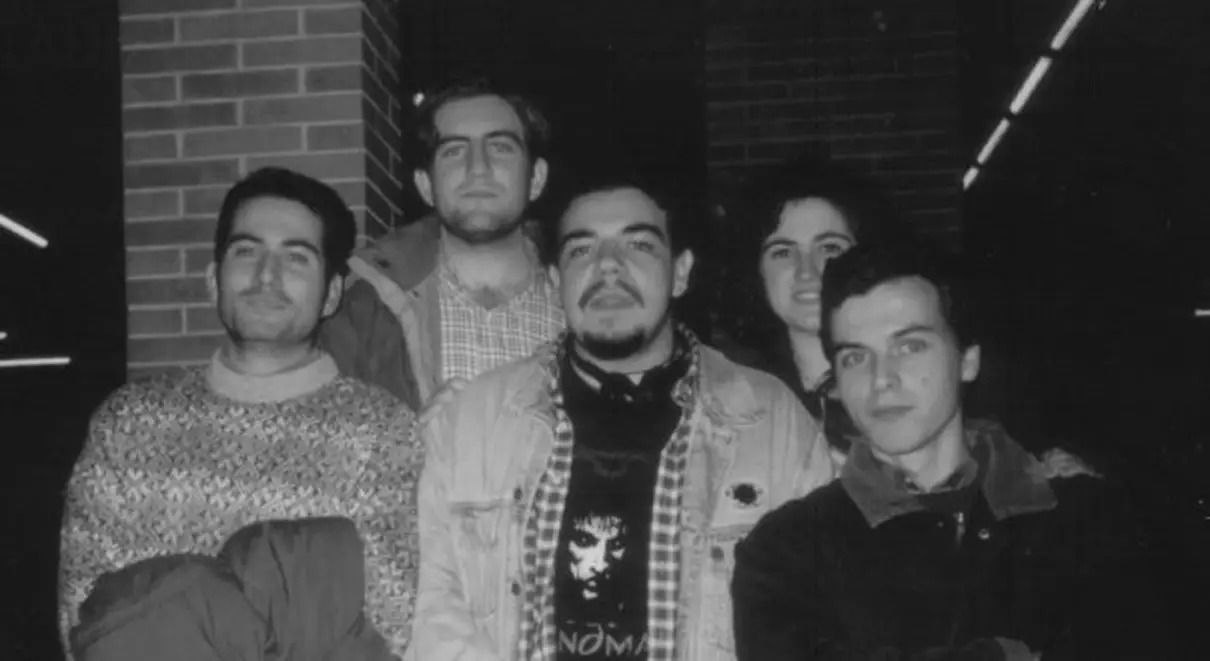
A mediados de los 90, siendo estudiante en Sevilla, pasé incontables horas en los laboratorios Unix explorando un mundo digital emergente: terminales verdes, USENET, links, news, msgs – y, por supuesto, Conquer.
El juego era revolucionario. Como líder de una nación, controlabas tu reino élfico, imperio orco o ejércitos humanos a través de un mapa renderizado en caracteres ASCII. La profundidad era asombrosa:
Gestión económica detallada por sectores
Sistemas diplomáticos complejos entre razas
Magia y hechizos con efectos en el mundo
Exploración de territorios desconocidos
El Ritual Social del Juego
No era un juego solitario. El ritual era profundamente social:
Conectar por SSH a una máquina Unix compartida
Hacer movimientos durante el día entre clases
Esperar el conqrun nocturno que procesaba los turnos
Recibir emails con los resultados cada mañana
Organizamos partidas que duraban semanas, con turnos diarios o semanales. La lentitud era una característica, no un defecto. Permitía la estrategia profunda y creaba comunidad alrededor del texto.
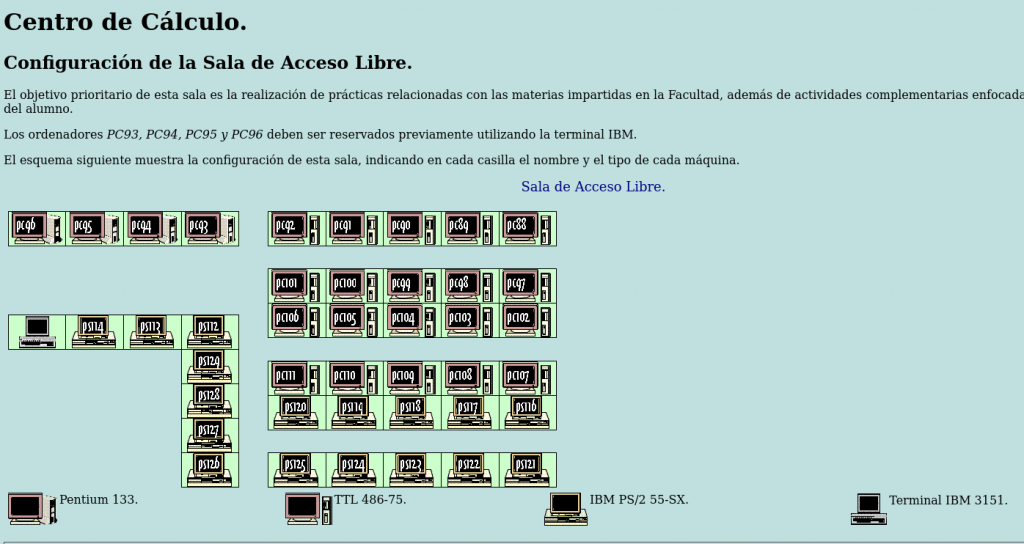
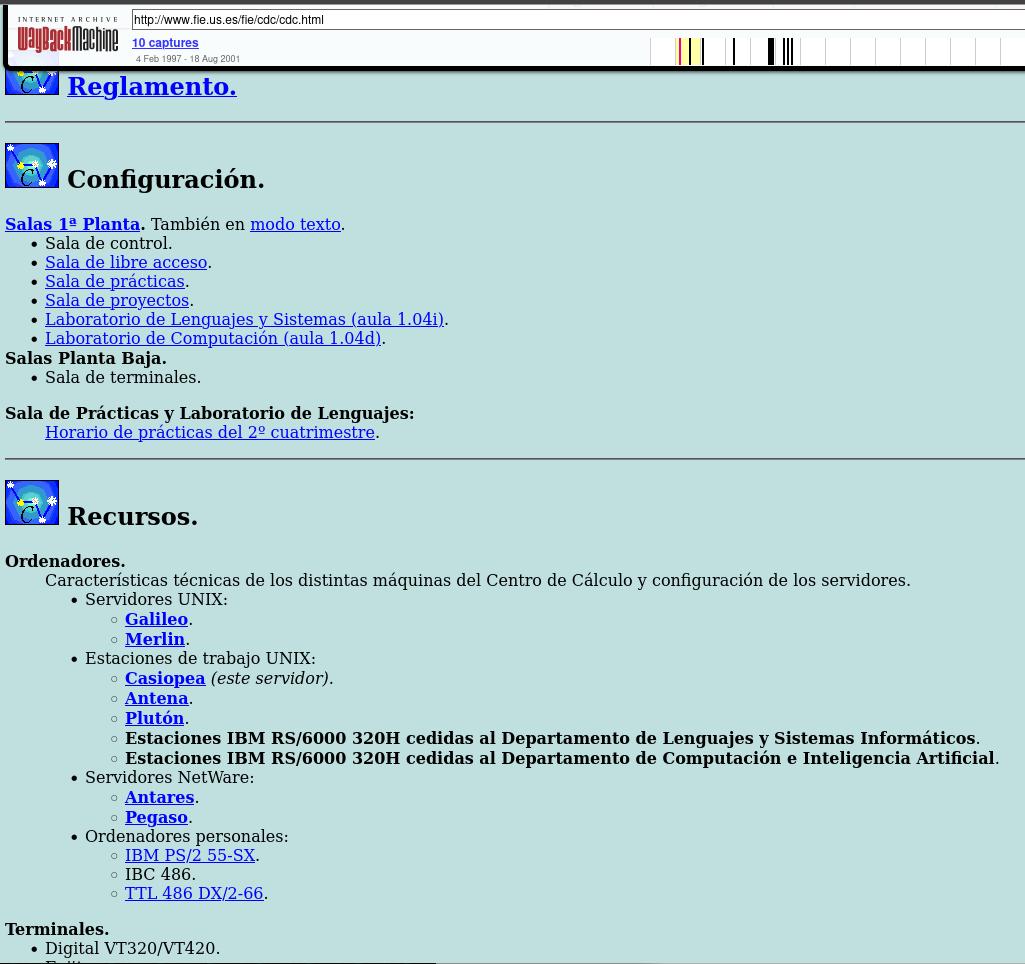
No he encontrado fotos de la época de la sala, pero he encontrado su descripción en las antiguas páginas de la facultad:
CAPÍTULO 3: La Búsqueda Comienza – Detective Digital (2006)
Imagen: Captura completa del hilo en debian-legal mostrando la consulta inicial.
Para 2006, esta pieza de historia computacional estaba atrapada en un limbo legal. Comencé lo que pensé que sería un proyecto simple: obtener permiso para relicenciar el código bajo GPL y empaquetarlo para distribuciones Linux modernas.
Encontrar a los autores originales fue arqueología digital. Los emails de los 80 llevaban años muertos. Examiné directorios universitarios antiguos, seguí migas de pan digitales y eventualmente contacté a Ed Barlow.
La Filosofía del «Hazlo y Ve Qué Pasa»
Nuestra conversación por mensajería en 2006 reveló la mentalidad de la era:
(18:08:58) vejeta:Sorry if I catch you busy. While trying to investigate if I could relicense old conquer as free software I discovered it was complex. (18:14:00) Ed Barlow:i personally would say that you should do it and nobody will know the difference (18:18:52) vejeta:Indeed, I feel like a detective 🙂 (18:21:23) Ed Barlow:v4 was both of ours… i wrote v4 he wrote v5…
Cuando pregunté sobre arreglos comerciales previos, su respuesta fue reveladora:
«i dont know… i dont have adams mail address at all… dunno if they did anythign with the license tho»
Esta actitud encapsulaba la era pre-comercial de Internet: construir por pasión, compartir por defecto.
Pero Adam Bryant había desaparecido en el éter digital. Documenté todo en las listas de Debian Legal y creé la tarea GNU Savannah #5945. El proyecto se estancó.
CAPÍTULO 4: La Larga Espera y el Avance Inesperado (2006-2011)
Imagen: Captura del email de Adam Bryant de 2011 llegando espontáneamente.
Pasaron años. Entonces, el 23 de febrero de 2011, ocurrió la magia. Mi teléfono vibró con un envío de formulario de contacto:
«I heard news of the request to release the code. I grant permission to release the code under GPL.» – Adam Bryant
Había encontrado uno de mis artículos en línea y contactó espontáneamente. Después de cinco años de búsqueda, la barrera principal había desaparecido.
La Comunidad como Memoria Colectiva
Mientras tanto, conversaciones informales mantuvieron viva la llama. En 2011, mientras explicaba el proyecto a un amigo, su entusiasmo fue contagioso:
kike:killo me has dejao to intringao con el conquer no le puedes hacer eso a un puto ludópata como yo XDDD vejeta:…Esto fue la epoca pre-internet. Y nos entreteniamos con otras cosas: saltarnos las protecciones, juegos como el conquer, dominion, el arte ascii :). El irc acabó con todo eso. kike:si necesitas mano de obra barata para algo del conquer, cueneta conmigo…
Estos diálogos muestran que el proyecto nunca fue un fin en sí mismo, sino un vehículo para revivir una forma de entender la tecnología.
CAPÍTULO 5: La Trama se Complica – Versión 5 Emerge (2025)
Imagen: Comparación lado a lado de las interfaces de Conquer v4 y v5.
Justo cuando la historia parecía completa, Stephen Smoogen me contactó en 2025 sobre mis esfuerzos de relicenciamiento de 2006. Estaba particularmente interesado en Conquer Versión 5 – la reescritura completa de Adam Bryant con características avanzadas:
Conversión automática de datos entre versiones
Estabilidad mejorada y herramientas administrativas
Sistemas de eventos sofisticados
Interfaz de administración expandida
Pero V5 tenía una historia legal diferente, incluyendo arreglos comerciales de los 90. ¿Aceptaría Adam licenciar GPL esta versión también?
Su respuesta: «I have no issues with applying a new GPL license to Version 5 as well.»
El Arco de 14 Años
El viaje de Adam entre sus dos mensajes cuenta una historia universal:
2011:«I grant permission to release the code under GPL.» 2025:«If only working a job to pay the bills hadn’t gotten in the way…»
Este arco de 14 años revela la tensión eterna entre pasión y responsabilidad que todo creador enfrenta.
CAPÍTULO 6: Las Piezas Perdidas – Magia PostScript y una Pérdida Trágica
Imagen: Ejemplo de salida PostScript de las utilidades de MaF.
La red de contribuyentes se expandió. Descubrí a MaF (Martin Forssen), quien creó utilidades PostScript para generar mapas imprimibles del juego – crucial en la era pre-GUI cuando los jugadores necesitaban copias físicas para estrategizar.
Rastrear a MaF en 2025 me llevó a su nueva dirección de correo electrónico. Su respuesta fue inmediata y generosa: «Oh, that was a long time ago. But yes, that was me. And I have no problem with relicensing it to GPL.»
Richard Caley: No Solo un Pie de Página Legal
Captura de la página principal de Richard Caley preservada mostrando el anuncio.
Pero no todas las búsquedas terminan con una respuesta. Algunas terminan con silencio.
Mi investigación sobre Richard Caley siguió las mismas migas de pan digitales. Lo tracé hasta la Universidad de Edimburgo, donde trabajó en síntesis de voz. Encontré sus contribuciones técnicas a FreeBSD. Pero el rastro se enfrió alrededor de 2005.
«Richard Caley suffered a fatal heart attack on the 22nd of April, 2005. He was only 41, but had been an undiagnosed diabetic, probably for some considerable time. His web pages remain as he left them.»
Leer esas palabras se sintió diferente a encontrar un registro histórico. Esto no era investigación archivística – era entrar a la casa de alguien años después de que se hubiera ido y encontrar una nota en la mesa.
La página continuaba:
«Over and above his tremendous ability with computers and programming, Richard had a keen mind and knowledge of an extraordinary range of topics, both of which he used in frequent contributions to on-line discussions. Despite his unique approach to speling, his prolific contributions to various news group debates informed and amused many over the years.»
Los «Caleyisms» – El Hombre Detrás del Código
Captura de la página «Caleyisms» mostrando sus respuestas ingeniosas.
Y entonces descubrí sus «Caleyisms» – una colección curada de sus respuestas más brillantes en USENET que revelaban no solo a un programador, sino a una persona:
What’s a shell suit? «Oil company executive.»
How do you prepare for a pyroclastic flow hitting Edinburgh? «Hang 1000 battered Mars bars on strings and stand back?»
On his book addiction: «I never got the hang of libraries, they keep wanting the things back and get upset when they need a crowbar to force it out of my hands.»
Su humor era seco, inteligente y únicamente británico. En discusiones técnicas, podía ser brutalmente preciso:
«Lack of proper punctuation, spacing, line breaks, capitalisation etc. is like bad handwriting, it doesn’t make it impossible to read what was written, just harder. But you probably write in green crayon anyway.»*
El Oficina Digital Preservada
Explorar su sitio web preservado se sintió como caminar por su oficina digital. La estructura de directorios revelaba sus pasiones: how-tos de FreeBSD, experimentos con POVRAY, imágenes de fondo, proyectos técnicos. Su humor auto-despreciativo brillaba en su sección «About»:
«Thankfully I don’t have a photograph to inflict on you. Just use the picture of Iman Bowie to the left and then imagine someone who looks exactly the opposite in every possible way. This probably explains why she is married to David Bowie and I’m not.»*
Aquí había una persona completa – director técnico en Interactive Information Ltd, investigador de síntesis de voz, entusiasta de FreeBSD, fan de Kate Bush, y un ingenio que alegró incontables discusiones en línea.
La realidad legal era dura: las contribuciones de Richard a Conquer no podían ser relicenciadas. La universidad no pudo ayudar a contactar herederos debido a leyes de privacidad.
Imagen: El arte ASCII RIP de la página de Richard.
Sus amigos habían preservado su memoria con un simple tributo ASCII al final de su página:
text
      ^_^
     (O O)
     \_/@@\
      \\~~/
        ~~
               - RJC RIP
En la documentación del proyecto Conquer, Richard Caley no es recordado como un «caso problemático» o «código no liberable». Es honrado como la persona vibrante que fue – la mente brillante detrás de los «Caleyisms», el investigador que contribuyó a la síntesis de voz, el defensor de FreeBSD, y el participante ingenioso en comunidades en línea tempranas cuyas palabras continúan divirtiendo e informando, décadas después de que las escribiera.
CAPÍTULO 7: Renacimiento Técnico – Del USENET al CI/CD
Imagen: Comparación lado a lado mostrando el archivo shar de 1987 y la configuración de GitHub Actions de 2025.
La transformación técnica ha sido notable. Modernizar código de 1987 presenta desafíos únicos que requieren tanto respeto por el original como adopción de tecnologías modernas.
Arqueología del Makefile
# Original 1987 - Dependencias hardcodeadas
conquer: conquer.c utils.c
    cc -o conquer conquer.c utils.c -lcurses -ltermcap
# Moderno 2025 - Autotools y detección automática
AC_INIT([conquer], [4.6])
AC_PROG_CC
AC_CHECK_LIB([ncurses], [initscr])
Tuve que reemplazar assumptions de sistemas antiguos con detección automática de bibliotecas. Los Makefiles originales asumían versiones específicas de curses y ubicaciones de bibliotecas que ya no existen.
La Magia de ttyd – Terminales en la Web
# Dockerfile fragment - Puente tecnológico perfecto
FROM alpine:latest
RUN apk add ttyd ncurses
COPY conquer /usr/local/bin/
CMD ["ttyd", "-p", "7681", "conquer"]
Esta configuración permite que la interfaz de curses original se renderice en navegadores modernos sin modificar una línea del código de 1987. Es un puente tecnológico que respeta el original mientras permite acceso moderno.
El mismo juego que viajaba en 5 partes de USENET ahora genera paquetes binarios con hashes criptográficos y procedencia verificable. La ironía: descubrí Melange cuando un amigo empezó a trabajar para la empresa que lo creó.
Base de código C actualizada para soportar ANSI C99 moderno
Empaquetado Debian integración
Empaquetado APK con Melange para Alpine Linux
Contenedores Docker con emulación de terminal via WebSockets
CAPÍTULO 8: Contexto Histórico – Conquer en el Ecosistema de Juegos Unix
Imagen: Fragmento de la lista «versions of empire» de 1989 mostrando a Conquer entre otros juegos.
Conquer no existía en el vacío. La lista «versions of empire» de 1989 revela un ecosistema floreciente de juegos de estrategia multiplayer:
Empire (PSL, UCB, UCSD): Diferentes variantes mantenidas por universidades
Galactic Bloodshed: Enfocado en exploración y terraformación
xconq: Uno de los primeros en ofrecer interfaz X Window
Buck Empire: Mejoras y debugging de una versión de PSL Empire
¿Por qué Conquer Sobrevivió Cuando Otros Desaparecieron?
Arquitectura Modular: Fácil de extender con nuevas razas y hechizos
Documentación Completa: Incluía guías de administración y formato de datos
Comunidad Activa: Adam Bryant mantuvo parches durante años
Portabilidad: Escrito en C estándar, sin dependencias exóticas
Mientras juegos comerciales de la misma época desaparecieron con sus plataformas, Conquer sobrevivió porque era texto plano y código abierto antes de que el término existiera.
La lista de 1989 presentaba a Conquer así:
«A multiplayer fantasy wargame written from scratch by Ed Barlow… Not really empire, but close enough to be easily understood by those used to empire. Currently supported by co-author Adam Bryant.»
Esto revela una cultura donde los «competidores» se listaban unos a otros en un espíritu de comunidad. El valor no estaba en la propiedad intelectual, sino en la contribución a un ecosistema común.
CAPÍTULO 9: El Elemento Humano – Por Qué Esta Odisea de 20 Años Importa
Imagen: Collage mostrando el código original de Ed Barlow, el email de Adam Bryant de 2011, y la conversación del equipo de 2025.
Esto no es solo sobre preservar juegos. Es sobre preservar la historia misma de la computación.
Los Pioneros del Software
Ed Barlow y Adam Bryant construyeron experiencias multiplayer sofisticadas cuando la mayoría de la gente nunca había oído hablar de Internet. Distribuyeron software a través de USENET porque eso era lo que se hacía – compartías cosas geniales con la comunidad.
Martin Forssen y sus utilidades PostScript representan el ingenio de los desarrolladores tempranos que resolvían problemas con las herramientas disponibles. ¿Querías visualizar el estado del juego? ¡Escribías un generador PostScript!
Comunidad y Continuidad
El esfuerzo de relicenciamiento de 20 años demuestra algo crucial sobre el open source: no es solo sobre código, es sobre comunidad y continuidad. Cada vez que alguien mantiene un proyecto legacy, documenta su historia, o rastrea contribuidores perdidos, está tejiendo los hilos que conectan el pasado computacional con su futuro.
El viaje de Adam entre sus dos mensajes – desde el permiso técnico hasta la reflexión emocional – encapsula por qué la preservación importa: el código sobrevive, pero las historias humanas se pierden si no las capturamos.
EPÍLOGO: Lecciones de la Arqueología de Software
1. Documenta Todo Esos posts casuales de USENET se convirtieron en evidencia legal crucial décadas después.
2. Licencia Claramente El comentario de Ed de que «copyleft didnt exist when i wrote it» resalta cómo los panoramas de licencias evolucionan.
3. La Comunidad es Todo Adam encontró mis artículos porque la comunidad de preservación estaba hablando del proyecto.
4. Las Herramientas Modernas Pueden Revivir Código Antiguo Melange y CI/CD le dieron al software de 1987 un renacimiento en 2025.
5. La Deuda Técnica es Temporal Lo que parece tecnología legacy hoy podría ser el tesoro arqueológico de mañana.
6. Preserva las Historias, No Solo el Código Los «Caleyisms» de Richard son tan valiosos como sus contribuciones técnicas.
LA HISTORIA CONTINÚA
Ambos juegos Conquer están ahora completamente licenciados bajo GPLv3 con empaquetado moderno. No son solo software jugable, sino un caso de estudio completo en:
Arqueología de software
Marcos legales para preservación
Evolución de prácticas de desarrollo a través de cuatro décadas
El próximo capítulo: enseñar estos juegos de estrategia clásicos a una nueva generación de desarrolladores y jugadores, mientras demostramos que los marcos legales apropiados y las herramientas modernas pueden dar una segunda vida a cualquier software histórico.
A veces la mejor manera de aprender tecnología de vanguardia es aplicándola para preservar la historia computacional.
¿Qué software histórico merece preservación en tu campo? ¿Has rastreado alguna vez el linaje del código hasta sus creadores originales?
How I spent two decades tracking down the creators of a 1987 USENET game and learned modern packaging tools in the process.
The Discovery: A Digital Time Capsule from 1987
Picture this: October 26, 1987. The Berlin Wall still stands, the World Wide Web is just text, and software is distributed through USENET newsgroups in text files split across multiple posts. On that day, Edward Barlow posted something special to comp.sources.games:
That’s how Ed Barlow announced it at the time, before quickly changed the name to Conquer.
This was Conquer – a sophisticated multi-player strategy game that would influence countless others. Players controlled nations in Middle Earth, managing resources, armies, magic systems, and diplomatic relations. What made it remarkable wasn’t just the gameplay, but how it was built and distributed in an era when «open source» wasn’t even a term yet.
Chapter 0: University Days.
It was during these days, in the middle of the 90s, that my fellow students and I spent hours experimenting with terminals in the Computer Unix Labs, USENET, links, news, msgs, and of course: conquer. That game was a gem that required to be the leader of a country, and with a map representing as characters each player could control their elven kingdom, orcish empire, or human armies to fight each other while controlling all the details of the economy.
But by 2006, this piece of computing history was trapped in legal limbo.
Chapter 1: The Quest Begins (2006)
As a university student in Spain in the early ’90s, I’d encountered Conquer in the Unix labs. Fast forward to 2006, and I realized this pioneering game was at risk of being lost forever. The source code existed, scattered across ancient USENET archives, but its licensing was unclear – typical of the «post it and see what happens» era of early internet software distribution.
I started what I thought would be a simple project: get permission from the original authors to relicense the code under GPL so it could be properly preserved and packaged for modern Linux distributions.
Simple, right?
Chapter 2: Digital Detective Work
Finding Edward Barlow and Adam Bryant in 2006 was like archaeological work. Email addresses from the 1980s were long dead. USENET posts provided few clues. I scoured old university directories, googled fragments of names, and followed digital breadcrumbs across decades-old forums.
The breakthrough came through pure persistence and a bit of luck. After months of searching, I managed to contact Ed Barlow. His response was refreshingly casual: «Yes i delegated it all to adam aeons ago. Im easy on it all…. copyleft didnt exist when i wrote it and it was all for fun so…»
But there was a catch – I needed permission from Adam Bryant too, and he seemed to have vanished into the digital ether.
Chapter 3: The Long Wait (2006-2011)
I documented everything on the Debian Legal mailing lists, created a GNU Savannah task (#5945), and even wrote blog posts hoping Adam would find them. The legal experts were clear: I needed explicit written permission from both copyright holders.
Years passed. The project stalled.
Then, on February 23, 2011, something magical happened. My phone buzzed with a contact form submission:
«I heard news of the request to release the code. I grant permission to release the code under GPL.» – Adam Bryant
He had found one of my articles online and reached out on his own.
Chapter 4: The Plot Twist – Version 5 Emerges (2025)
Fast forward to 2025, and Stephen Smoogen contacts me about my relicesing efforts in 2006 and how he was particularly interested in reviving: Conquer Version 5 – a complete rewrite by Adam with advanced features like automatic data conversion, enhanced stability, and sophisticated administrative tools. This wasn’t just an update; it was a complete reimagining of the game.
But V5 had a different legal history. In the ’90s, there had been commercial arrangements. Would Adam agree to GPL this version too?
His response: «I have no issues with applying a new GPL license to Version 5 as well.»
Chapter 5: The Missing Piece – PostScript Magic
Just when I thought the story was complete, I discovered another contributor: MaF (Martin Forssen), who had created PostScript utilities for generating printable game maps – a crucial feature in the pre-GUI era when players needed physical printouts to strategize.
Tracking down MaF in 2025 led me to his new email. His response: «Oh, that was a long time ago. But yes, that was me. And I have no problem with relicensing it to GPL.»
Richard Caley: More Than Just a Legal Footnote
But not all searches end with an answer. Some end with silence.
My investigation of Richard Caley followed the same digital breadcrumbs. I traced him to the University of Edinburgh, where he worked on speech synthesis. I found his technical contributions to FreeBSD. But the trail went cold around 2005.
Then I found him – not in a USENET archive, but on the front page of his own website, preserved exactly as he left it in web.archive.org.
«Richard Caley suffered a fatal heart attack on the 22nd of April, 2005. He was only 41, but had been an undiagnosed diabetic, probably for some considerable time. His web pages remain as he left them.»
Reading those words felt different from finding a historical record. This wasn’t archival research – this was walking into someone’s house years after they’d gone and finding a note on the table.
The page continued:
«Over and above his tremendous ability with computers and programming, Richard had a keen mind and knowledge of an extraordinary range of topics, both of which he used in frequent contributions to on-line discussions. Despite his unique approach to speling, his prolific contributions to various news group debates informed and amused many over the years.»
The «Caleyisms» – The Man Behind the Code
And then I discovered his «Caleyisms» – a curated collection of his most brilliant USENET responses that revealed not just a programmer, but a person:
What’s a shell suit?
«Oil company executive.»
How do you prepare for a pyroclastic flow hitting Edinburgh?
«Hang 1000 battered Mars bars on strings and stand back?»
On his book addiction:
«I never got the hang of libraries, they keep wanting the things back and get upset when they need a crowbar to force it out of my hands.»
His humor was dry, intelligent, and uniquely British. In technical discussions, he could be brutally precise:
«Lack of proper punctuation, spacing, line breaks, capitalisation etc. is like bad handwriting, it doesn’t make it impossible to read what was written, just harder. But you probably write in green crayon anyway.»
A Digital Office Preserved
Exploring his preserved website felt like walking through his digital office. The directory structure revealed his passions: FreeBSD how-tos, POVRAY experiments, wallpaper images, technical projects. His self-deprecating humor shone through in his «About» section:
«Thankfully I don’t have a photograph to inflict on you. Just use the picture of Iman Bowie to the left and then imagine someone who looks exactly the opposite in every possible way. This probably explains why she is married to David Bowie and I’m not.»
Here was a complete person – technical director at Interactive Information Ltd, speech synthesis researcher, FreeBSD enthusiast, Kate Bush fan, and a wit who brightened countless online discussions.
The legal reality was harsh: Richard’s contributions to Conquer couldn’t be relicensed. The university couldn’t help contact heirs due to privacy laws.
His friends had preserved his memory with a simple ASCII tribute at the end of his page:
      ^_^
     (O O)
     \_/@@\
      \\~~/
        ~~
               - RJC RIP
In the Conquer project documentation, Richard Caley isn’t remembered as a «problem case» or «unlicensable code.» He’s honored as the vibrant person he was – the brilliant mind behind the «Caleyisms,» the researcher who contributed to speech synthesis, the FreeBSD advocate, and the witty participant in early online communities whose words continue to amuse and inform, decades after he wrote them.
Chapter 6: Modern Renaissance – Enter GitHub, CICD and Modern Distributions
Here’s where the story gets really interesting. While working on preserving these Unix classics, I decided to learn modern packaging techniques. I chose to implement both APK (Alpine Linux) and Debian packaging for the games.
For APK packages, I used Melange – a sophisticated build system that creates provenance-tracked, reproducible packages for the Wolfi «undistro». The irony? I discovered this tool when some friend started to work for the company that created it.
Chapter 7: The Technical Journey: From USENET to Modern CI/CD
Original Conquer v4 code, by Ed Barlow and Adam Bryant
(Conquer running in docker container alongside Apache, Curses to WebSockets output thanks to ttyd. Now we can play through the web!)
Conquer Version 5 – The evolution of the classical Conquer, by Adam Bryant
Chapter 8: The Human Element: Why This Matters
This isn’t just about preserving old games – it’s about preserving the story of computing itself. Ed Barlow and Adam Bryant were pioneers who built sophisticated multiplayer experiences when most people had never heard of the internet. They distributed software through USENET because that’s what you did – you shared cool things with the community.
Martin Forssen’s PostScript utilities represent the ingenuity of early developers who solved problems with whatever tools were available. Want to visualize your game state? Write a PostScript generator!
The 20-year relicensing effort demonstrates something crucial about open source: it’s not just about code, it’s about community and continuity. Every time someone maintains a legacy project, documents its history, or tracks down long-lost contributors, they’re weaving the threads that connect computing’s past to its future.
Lessons for Modern Developers
Document everything: Those casual USENET posts became crucial legal evidence decades later
License clearly: Ed’s comment that «copyleft didnt exist when i wrote it» highlights how licensing landscapes evolve
Community matters: Adam found my articles because the community was talking about preservation
Technical debt is temporal: What seems like legacy tech today might be tomorrow’s archaeological treasure
Modern tools can revive ancient code: Melange and modern CI/CD gave 1987 software a 2025 renaissance
The Continuing Story
Both Conquer games are now fully GPL v3 licensed and available with modern packaging. They represent not just playable software, but a complete case study in software archaeology, legal frameworks for preservation, and the evolution of development practices across four decades.
The next chapter? Teaching these classic strategy games to a new generation of developers and gamers, while demonstrating that proper legal frameworks and modern tooling can give any historical software a second life.
Sometimes the best way to learn cutting-edge technology is by applying it to preserve computing history.
What historical software deserves preservation in your field? Have you ever traced the lineage of code back to its original creators?
Capítulo 3: Mi Travesía Personal como Aspirante a Debian Maintainer
Expandiendo las Capacidades de Desarrollo: Setup Híbrido con Proton Drive y Debian GNU/Linux
8 de noviembre, 2025
Las Limitaciones de Espacio con un ordenador portátil de 13 años
Como desarrollador con más de 20 años de experiencia en Unix/Linux, he enfrentado un desafío constante: las limitaciones de almacenamiento local versus la necesidad de mantener múltiples proyectos activos, especialmente cuando trabajo en empaquetado complejo como Chromium Embedded Framework (CEF) para Debian. Recientemente, desarrollé una solución elegante que combina Proton Drive con automatización Linux para crear un ecosistema de desarrollo verdaderamente híbrido.
El Problema: Limitaciones de Hardware Legacy
Mi setup principal incluye un MacBook Pro 11,1 ejecutando Debian, con apenas 100GB de almacenamiento SSD. Con solo 15GB libres después de instalar las herramientas de desarrollo esenciales, cada proyecto de empaquetado se convierte en un juego de tetris de espacio en disco. Los builds de CEF pueden generar varios gigabytes de datos, y mantener múltiples iteraciones para debugging se vuelve imposible.
Además, trabajo desde múltiples máquinas – la principal en casa y una laptop de viaje – lo que requiere sincronización manual constante de archivos de configuración, documentación técnica y progreso de desarrollo.
La Solución: Arquitectura Híbrida con Proton Drive
Componentes del Sistema
1. Almacenamiento Local (SSD 100GB)
Trabajo activo y builds en curso
Máxima velocidad para compilación
Cache temporal del sistema
2. Proton Drive (500GB)
Storage expandido cifrado end-to-end
Backup automático de trabajo
Sincronización entre máquinas
Archive de builds completados
3. Storage Externo (SanDisk + CalDigit)
Almacenamiento masivo para builds históricos
Repositorios de packages grandes
Backup de sistemas completos
Arquitectura de Directorios
# Estructura local
~/development/debian/           # Trabajo activo (local SSD)
~/ProtonDrive/                  # Mount automático (Proton Drive)
├── cef-builds-archive/         # Builds completados
├── documentation-backup/       # Docs técnicas
├── config-backup/             # Configuraciones del sistema
└── temp-builds/               # Storage temporal expandido

# Estructura en Proton Drive
protondrive:/sync/debian/       # Sync automático trabajo activo
protondrive:/mount/             # Storage expandido montado
Implementación Técnica
1. Configuración de RClone
RClone actúa como el puente entre el sistema local y Proton Drive, proporcionando tanto capacidades de sincronización como montaje de filesystem.
# Instalación desde repositorios Debian
sudo apt update
sudo apt install rclone

# Verificar instalación
rclone --version

# Configuración
rclone config
# Seleccionar: protondrive
# Introducir credenciales de Proton Mail
# Configurar 2FA si está habilitado
2. Servicio de Sincronización Automática
Creé un servicio systemd que sincroniza automáticamente el trabajo activo cada 4 horas:
El laptop con 15GB libres ahora puede manejar proyectos de múltiples gigabytes sin impacto en el rendimiento local. Los builds activos permanecen en SSD para velocidad máxima, mientras el archive automático libera espacio continuamente.
2. Continuidad Entre Máquinas
El workflow pull/push permite cambiar entre máquina principal y laptop de viaje sin pérdida de contexto. Cada sesión comienza con start-work.sh y termina con end-work.sh, garantizando sincronización perfecta.
3. Backup Automático Cifrado
Con timer cada 4 horas, nunca pierdo más de 4 horas de trabajo. El cifrado end-to-end de Proton significa que incluso datos sensibles de clients están protegidos.
4. Flexibilidad de Storage
Local: Máxima velocidad para trabajo activo
Mount: Acceso directo como filesystem para casos especiales
Sync: Backup automático sin intervención manual
Externo: Capacidad masiva para archive de largo plazo
Casos de Uso Específicos
Desarrollo CEF (Chromium Embedded Framework)
Los builds de CEF generan varios GB de artifacts. La configuración permite:
Build activo en SSD local (velocidad)
Archive automático de builds completados
Sincronización de documentación técnica entre iteraciones
Backup de scripts de build y patches personalizados
Trabajo Remoto y Viajes
Antes del sistema, trabajar desde la laptop de viaje significaba:
Sincronización manual propensa a errores
Pérdida de contexto entre máquinas
Limitaciones de almacenamiento aún más severas
Ahora es completamente transparente: start-work.sh en cualquier máquina restaura el contexto exacto de la última sesión.
Monitoreo y Mantenimiento
Verificación de Servicios
# Ver estado de servicios
systemctl --user status proton-sync.service
systemctl --user status proton-mount.service

# Ver próximas ejecuciones del timer
systemctl --user list-timers proton-sync.timer

# Logs detallados
journalctl --user -u proton-sync.service --since today
Scripts de Diagnóstico
#!/bin/bash
# check-proton-setup.sh
echo "=== Estado del Sistema Proton Drive ==="

# Verificar mount
if mountpoint -q ~/ProtonDrive; then
    echo "✅ Storage expandido montado correctamente"
    df -h ~/ProtonDrive
else
    echo "❌ Mount no disponible"
fi

# Verificar timer de sync
if systemctl --user is-active proton-sync.timer >/dev/null; then
    echo "✅ Timer de sync activo"
    systemctl --user list-timers proton-sync.timer
else
    echo "❌ Timer no activo"
fi

# Verificar conectividad
if rclone ls protondrive:/sync/ >/dev/null 2>&1; then
    echo "✅ Conectividad con Proton Drive OK"
else
    echo "❌ Problema de conectividad"
fi
Consideraciones de Rendimiento
Red y Latencia
Upload: ~30-80 Mbps después de overhead de encriptación
Download: Near line speed con cache local activo
Latencia: Imperceptible para acceso a archivos cacheados
Optimizaciones Implementadas
VFS cache full: 20GB cache local para acceso rápido
Transfers limitados: 2 transferencias concurrentes para estabilidad
Exclusiones inteligentes: Archivos temporales y logs excluidos del sync
Ignore existing: Evita conflictos en sincronización bidireccional
Impacto en Productividad
Métricas de Mejora
Storage efectivo: De 15GB a 515GB disponibles
Tiempo de setup entre máquinas: De 30+ minutos a <2 minutos
Pérdida máxima de trabajo: De días potenciales a máximo 4 horas
Flexibilidad de proyecto: Múltiples builds CEF simultáneos posibles
Casos de Recuperación
Durante el desarrollo, experimenté una desconexión inesperada que habría resultado en pérdida significativa de trabajo. El sistema automático había sincronizado el progreso 2 horas antes, permitiendo recuperación completa en minutos.
Lecciones Aprendidas
1. Automatización vs Control
El balance entre timer automático (cada 4h) y scripts manuales (pull/push) proporciona tanto protección continua como control granular cuando es necesario.
2. Exclusiones son Críticas
La configuración inicial incluía logs de build (35MB cada uno), saturando la red. Las exclusiones inteligentes mejoraron el rendimiento dramáticamente.
3. Systemd User Services
Los servicios de usuario proporcionan automatización robusta sin requerir privilegios root, ideal para entornos de desarrollo personal.
Conclusión
Esta configuración híbrida resuelve múltiples limitaciones simultáneamente: espacio de almacenamiento, continuidad entre máquinas, backup automático y escalabilidad de proyectos. Para desarrolladores trabajando con proyectos complejos como empaquetado Debian o builds de software extensos, representa una solución elegante que combina lo mejor de storage local rápido con la flexibilidad y seguridad del cloud storage cifrado.
Ventajas Clave del Sistema
Zero downtime por pérdida de trabajo
Escalabilidad transparente de almacenamiento
Continuidad perfecta entre múltiples máquinas
Backup automático cifrado sin intervención manual
Flexibilidad de storage adaptada a diferentes necesidades
Próximos Pasos
Este setup forma la base para expansiones futuras:
Integración con CI/CD para builds automáticos
Monitoreo avanzado con métricas de uso
Sincronización selectiva por proyectos
Archive automático basado en políticas de tiempo
Para desarrolladores que enfrentan limitaciones similares de hardware legacy pero necesitan mantener productividad en proyectos modernos complejos, esta arquitectura híbrida proporciona una solución práctica y escalable.
El código completo de configuración y scripts están disponibles en mi repositorio de dotfiles, y continuaré documentando mejoras y optimizaciones a medida que evolucione el sistema.
How a simple documentation contribution evolved into a full-scale packaging solution with automated CI/CD, multi-distribution support, and deep technical problem-solving
Author: Juan Manuel Méndez Rey Date: October 30, 2025 Reading Time: 25 minutes Technical Level: Advanced
The Beginning: A Documentation Gap
Several years ago, while working with Stremio on Debian systems, I encountered the familiar frustration of Linux users everywhere: a great application with poor installation documentation. The official Stremio releases worked fine on some distributions, but Debian users were left to figure out dependencies, compilation steps, and integration challenges on their own.
That’s when I contributed the original DEBIAN.md file to the Stremio shell repository. It was a straightforward build guide—install these dependencies, run these commands, copy these files. Simple, but functional.
Years passed. Dependencies changed. Qt versions evolved. The simple build instructions became increasingly unreliable on modern Debian systems, and the GitHub issues piled up with frustrated users unable to compile Stremio.
The Problem Grows
By 2025, the situation had become untenable:
Dependency conflicts: The upstream .deb package required libmpv1, but modern Debian ships libmpv2
Missing QML modules: Critical Qt5 components weren’t documented as dependencies
Compilation complexity: Users needed to install 15+ build dependencies to compile from source
No proper integration: Desktop files, icons, and system integration required manual work
The upstream .deb package is outdated, it is providing the 4.4.168 version.
The list continues…
The GitHub issues were a testament to user frustration—dozens of reports about compilation failures, missing dependencies, and broken installations.
The Debian Way: Proper Packaging
Rather than continue patching documentation, I remembered a discussion with my friend, Arturo, about properly packaging Stremio for Debian, he created a RFP (Request for Package) for Stremio in 2020. Years passed and I went into my usual day to day work. This past month I decided I had to fulfill my old dream of becoming an official Debian contributor, so I decided to solve this properly through the Debian packaging system. In late 2025, I filed an Intent To Package (ITP) with Debian:
stremio-server package (non-free) – Proprietary streaming server v4.20.12
Technical Deep Dive: System Library Migration
The most challenging aspect was replacing ALL bundled git submodules with Debian system libraries. This wasn’t just about dependencies—it required fixing fundamental runtime issues.
Problem: System libsingleapplication-dev v3.3.4 caused segmentation faults when used with QQmlApplicationEngine.
Investigation:
# Test with system library:
sudo apt install libsingleapplication-dev
# Build and run: Segmentation fault

# Test without SingleApplication:
# Remove from CMakeLists.txt: Works perfectly
Root Cause: System library sets up threading context incompatible with Qt5 QML engine initialization. The library uses internal threading mechanisms that conflict with QQmlApplicationEngine’s event loop.
Solution: Custom CompatibleSingleApp implementation. This is also to replace one of the bundled submodules that recently modified its MIT license into a dubious license that could be incompatible for Debian DFSG guidelines. See https://github.com/itay-grudev/SingleApplication/issues/210
Challenge 3: QProcess Environment Variables for Node.js Server 🔥 CRITICAL
Problem: Streaming server failed to start with cryptic error:
server-crash 0 null
TypeError [ERR_INVALID_ARG_TYPE]: The "path" argument must be of type string. Received undefined
    at Object.join (node:path:1292:7)
Investigation:
# Manual server test works:
$ /usr/bin/node /usr/share/stremio/server.js
EngineFS server started at http://127.0.0.1:11470

# But QProcess launch fails:
timeout 15s stremio
# Error: server-crash 0 null
Root Cause: QProcess does not inherit environment variables by default. Node.js server.js requires:
HOME – for configuration directory (~/.stremio-server)
USER – for process identification
PWD – for relative path resolution
Solution: Explicit environment setup in stremioprocess.cpp:
void Process::start(QStringList args) {
    // Set up environment variables for Node.js server
    QProcessEnvironment env = QProcessEnvironment::systemEnvironment();

    // Ensure essential environment variables are set for server.js
    if (!env.contains("HOME")) {
        env.insert("HOME", QStandardPaths::writableLocation(QStandardPaths::HomeLocation));
    }
    if (!env.contains("USER")) {
        env.insert("USER", qgetenv("USER"));
    }
    if (!env.contains("PWD")) {
        env.insert("PWD", QDir::currentPath());
    }

    this->setProcessEnvironment(env);

    // Now start the process
    QProcess::start(this->program(), args);
}
Verification:
# After fix:
$ timeout 15s build/stremio 2>&1 | grep -A 5 "hls executables"
hls executables located -> { ffmpeg: '/usr/bin/ffmpeg', ffsplit: null }
Using app path -> /home/user/.stremio-server
Enabling casting...
Discovery of new external device "mpv" - MPV
EngineFS server started at http://127.0.0.1:11470
Impact: Complete resolution of streaming functionality. Users can now stream media via BitTorrent, use casting, and access all server features.
QT_SELECT=5 qmake
QT_SELECT=5 make
# Result: 278KB optimized binary
Both systems produce working binaries with 100% system libraries.
Debian Packaging: The Proper Way
Package Structure
stremio (4.4.169+dfsg-1):
debian/
├── changelog                    # Version history with ITP closure
├── control                      # Dependencies and package metadata
├── copyright                    # GPL-3.0+ licensing details
├── rules                        # Build instructions (dh-based)
├── patches/                     # Quilt patches for system integration
│   ├── 0001-Fix-server.js-path-for-FHS-compliance.patch
│   ├── 0002-disable-server-download.patch
│   ├── 0004-minimal-qthelper-integration.patch
│   ├── 0005-cmake-system-libraries-v4.4.169.patch
│   ├── 0007-add-qtwebengine-initialize-fix.patch
│   ├── 0008-add-compatible-singleapp-implementation.patch
│   ├── 0009-remove-system-singleapplication-add-compatible.patch
│   ├── 0010-fix-qmake-install-paths.patch
│   └── 0011-fix-qprocess-environment-for-server-launch.patch
├── stremio.desktop              # Desktop integration
├── stremio.install              # File installation rules
├── watch                        # Upstream version monitoring
└── source/
    └── format                   # 3.0 (quilt) format
Key debian/control sections:
Source: stremio
Section: video
Priority: optional
Maintainer: Juan Manuel Méndez Rey <vejeta@gmail.com>
Build-Depends:
    debhelper-compat (= 13),
    cmake,
    qtbase5-dev,
    qt5-qmake,
    qt5-qmake-bin,
    qtdeclarative5-dev,
    qtwebengine5-dev,
    qttools5-dev,
    qml-module-qtwebchannel,
    qml-module-qt-labs-platform,
    qml-module-qtwebengine,
    qml-module-qtquick-dialogs,
    qml-module-qtquick-controls,
    qml-module-qt-labs-settings,
    qml-module-qt-labs-folderlistmodel,
    libmpv-dev,
    libssl-dev,
    nodejs,
    npm,
    pkg-kde-tools
Standards-Version: 4.6.2
Homepage: https://www.stremio.com/
Vcs-Git: https://salsa.debian.org/mendezr/stremio.git
Vcs-Browser: https://salsa.debian.org/mendezr/stremio

Package: stremio
Architecture: amd64
Depends: ${shlibs:Depends}, ${misc:Depends},
         nodejs,
         mpv,
         librsvg2-2,
         qml-module-qtwebengine,
         qml-module-qtwebchannel,
         qml-module-qt-labs-platform,
         qml-module-qtquick-controls,
         qml-module-qtquick-dialogs,
         qml-module-qt-labs-settings,
         qml-module-qt-labs-folderlistmodel,
         qtbase5-dev-tools
Description: Modern media center for streaming video content
 Stremio is a video streaming application that aggregates content from
 various sources. It features a modern Qt5/QML interface with support
 for add-ons, local playback via MPV, and integration with streaming
 services.
 .
 This package provides the desktop client with GPL-licensed components.
Follows industry practice: VS Code, Docker Desktop, Firefox ESR
debian/copyright documents source:
Format: https://www.debian.org/doc/packaging-manuals/copyright-format/1.0/
Upstream-Name: stremio-server
Source: https://dl.strem.io/server/v4.20.12/desktop/server.js
Comment: Pre-downloaded server.js included in source package to comply
 with Debian Policy prohibiting network access during builds.
Beyond Debian: The Wolfi Contribution
While working on Debian packaging, I also contributed Stremio packages to Wolfi Linux, the security-focused distribution used by Chainguard. This involved:
Melange build files: Cloud-native package format
Security hardening: ASLR, stack protection, RELRO
OSI license compliance: GPL components only (no proprietary server, the same server.js we separated in a non-free package for Debian)
Reproducible builds: Hermetic build environment
Melange configuration example:
package:
  name: stremio
  version: 4.4.169
  epoch: 0
  description: Modern media center for video streaming
  license: GPL-3.0-or-later

environment:
  contents:
    packages:
      - qt5-qtbase-dev
      - qt5-qtdeclarative-dev
      - qt5-qtwebengine-dev
      - mpv-dev
      - openssl-dev

pipeline:
  - uses: cmake/configure
  - uses: cmake/build
  - uses: cmake/install

subpackages:
  - name: stremio-doc
    description: Documentation for stremio
I used this parallel effort as an exercise to learn how different distributions do proper packaging across different distribution ecosystems.
Pull Request: https://github.com/wolfi-dev/os/pull/69098 GitHub Gists with examples of usage: https://gist.github.com/vejeta/859f100ef74b87eadf7f7541ead2a2b1
The Distribution Challenge: GitHub-Powered APT Repository
Official Debian inclusion takes time—months or years of review, testing, and refinement. Meanwhile, users needed a solution now. Traditional approaches like hosting packages on a personal server would create bandwidth and maintenance problems.
The solution: Modern APT repository hosting using GitHub infrastructure.
Result: APT repository served at https://debian.vejeta.com/ with:
✅ Global CDN (CloudFlare)
✅ HTTPS encryption
✅ Unlimited bandwidth
✅ Zero hosting costs
✅ 99.9%+ uptime
Critical Lessons Learned: Patch Development Best Practices
During this project, I made significant efficiency mistakes in patch development. Here’s what I learned:
The Inefficiency Problem
What I did (5+ iterations of patch rework):
Modified source files directly in working repository
Generated patches from modified state
Patches failed on clean upstream
Repeated entire process multiple times
Impact: ~70% wasted time in patch development
The Correct Approach
Efficient patch development workflow:
# Step 1: Clean upstream baseline
git clone --branch v4.4.169 https://github.com/Stremio/stremio-shell.git /tmp/patch-test
cd /tmp/patch-test

# Step 2: Analyze dependencies BEFORE making changes
echo "=== Mapping file dependencies ==="
grep -r "#include" *.cpp *.h | grep -v "Qt\|std"
grep -r "class.*:" *.h
grep -r "Q_OBJECT" *.h

# Step 3: Make ONE fix at a time
vim main.cpp  # Add QtWebEngine::initialize()
git diff > /tmp/0007-qtwebengine-fix.patch

# Step 4: Test patch application
git checkout .
patch -p1 < /tmp/0007-qtwebengine-fix.patch
mkdir build && cd build && cmake .. && make

# Step 5: If successful, continue to next fix
# If failed, refine current patch before moving on
Pre-Patch Analysis Template
Before creating patches, ALWAYS complete this analysis:
## Files to Modify
- [ ] main.cpp - QtWebEngine initialization
- [ ] mainapplication.h - class definitions
- [ ] CMakeLists.txt - build system
- [ ] compatible_singleapp.h/cpp - new custom implementation

## Dependency Chain
1. main.cpp includes → mainapplication.h
2. mainapplication.h includes → singleapplication.h (to be replaced)
3. CMakeLists.txt references → SingleApplication (to be removed)
4. Qt MOC processes → Q_OBJECT classes (check for conflicts)

## Build Test Plan
1. [ ] Clean cmake build
2. [ ] Dependency verification (ldd)
3. [ ] Runtime functionality test
4. [ ] Package build test (dpkg-buildpackage)
Validation Before «Ready» Declaration
NEVER declare patches ready without:
# MANDATORY validation workflow
mkdir /tmp/patch-validation
cd /tmp/patch-validation
git clone --branch v4.4.169 <upstream-url> .

# Apply ALL patches
export QUILT_PATCHES=debian/patches
quilt push -a || { echo "FAIL: Patch application"; exit 1; }

# Complete build test
mkdir build && cd build
cmake .. && make || { echo "FAIL: Build"; exit 1; }

# Package build test
cd .. && dpkg-buildpackage -us -uc || { echo "FAIL: Package"; exit 1; }

# Dependency check
ldd build/stremio | grep -E "(libQt5|libmpv|libcrypto)"

# ONLY NOW declare "patches ready"
echo "✅ Validated and ready for production"
This workflow prevents the «ready → fails → rework» cycle that wastes development time.
Production Validation: Comprehensive Testing
Isolated Environment Validation
Test setup:
# Create pristine environment
mkdir /tmp/stremio-patch-validation
cd /tmp/stremio-patch-validation
git clone --branch v4.4.169 https://github.com/Stremio/stremio-shell.git .
cp -r /path/to/debian .

# Apply all patches
export QUILT_PATCHES=debian/patches
quilt push -a
# Result: All 6 patches applied successfully

# Test CMake build
mkdir build && cd build
cmake .. -DQT_DEFAULT_MAJOR_VERSION=5
make -j$(nproc)
# Result: 293KB binary with 100% system libraries

# Test release.makefile
cd .. && QT_DEFAULT_MAJOR_VERSION=5 make -f release.makefile
# Result: Complete success including icon generation

# Verify dependencies
ldd build/stremio | head -5
# Output:
#   libQt5WebEngine.so.5 => /lib/x86_64-linux-gnu/libQt5WebEngine.so.5
#   libQt5DBus.so.5 => /lib/x86_64-linux-gnu/libQt5DBus.so.5
#   libcrypto.so.3 => /lib/x86_64-linux-gnu/libcrypto.so.3
#   libmpv.so.2 => /lib/x86_64-linux-gnu/libmpv.so.2
Verification results:
✅ Binary builds successfully (293KB)
✅ GUI loads and displays
✅ Single-instance behavior works
✅ Streaming server starts (port 11470 responds)
✅ System library integration complete
✅ No crashes or threading issues
Runtime Validation
Complete functionality test:
# Launch application
./build/stremio 2>&1 | tee /tmp/stremio-runtime.log

# Verify server startup (first 15 seconds)
timeout 15s ./build/stremio 2>&1 | grep -E "(server|streaming|port)"
# Output:
#   hls executables located -> { ffmpeg: '/usr/bin/ffmpeg', ffsplit: null }
#   Using app path -> /home/user/.stremio-server
#   Enabling casting...
#   EngineFS server started at http://127.0.0.1:11470

# Test server endpoint
curl -s http://127.0.0.1:11470 && echo "✓ Server responding"

# Test single-instance behavior
./build/stremio &
PID1=$!
sleep 2
./build/stremio   # Should detect first instance and exit
wait $PID1
User Experience: Installation Simplified
I wanted other Debian users to have the chance to install these packages built with the highest standards as soon as possible while the package is still being reviewed by Debian Developers. My solution was to create a repository and through GitHub Actions, pull the sources of the packages from salsa.debian.org, build them automatically, make a release and provide a Debian repository built with GitHub Pages, so Debian users will have 99% of availability to fetch them.
The end result is a one-command installation for users:
Note: Ubuntu support is experimental with automated builds but limited manual testing. Community feedback welcome.
Closing the Loop: Updating Documentation
With a working solution deployed, I returned to where it all started—the documentation. I submitted a comprehensive pull request to update the original DEBIAN.md file I had contributed years earlier.
The PR adds:
✅ APT repository installation (new recommended method)
✅ Complete dependency lists
✅ Modern security practices (proper GPG key management)
✅ Multi-distribution support (Debian + derivatives)
✅ Maintained build instructions (preserved for developers)
Community Impact
Within hours of submitting the PR, I commented on 10+ existing GitHub issues where users had reported installation problems. The response was immediate and positive—users could finally install Stremio without compilation headaches.
Technical Achievements Summary
Packaging Excellence
✅ Zero bundled dependencies: 100% Debian system libraries
✅ FHS compliance: Proper /usr installation paths
✅ License separation: GPL client (main) + proprietary server (non-free)
✅ Policy compliance: Lintian-clean packaging
✅ Independent versioning: Client v4.4.169 + Server v4.20.12
Technical Solutions
✅ QtWebEngine initialization fix: Single line prevents all QML crashes
[x] Source packages created following Debian Policy
[x] Lintian-clean packaging
[x] 100% system libraries
[x] FHS compliance
[x] Copyright file with complete licensing
[x] Watch files for upstream monitoring
[x] git-buildpackage workflow
[x] Packages hosted on Salsa
[x] ITP bug filed
[x] Preliminary Debian Developer review
[ ] Sponsorship obtained
[ ] Upload to Debian NEW queue
Timeline: Submission planned for Q1 2025
Professional Applications
This work directly supports my goal of becoming an official Debian Package Maintainer. This could also serve as a guide for others to get experience with:
Packaging expertise: Modern Debian packaging workflows with complex applications
DevOps proficiency: CI/CD pipeline design and GitHub Actions automation
Problem-solving skills: Deep debugging (QtWebEngine, threading, environment issues)
Community engagement: Solving real user problems at scale
Infrastructure design: Scalable, cost-effective distribution systems
Documentation: Comprehensive technical writing for diverse audiences
Future Evolution
The architecture proved so successful that I’m considering replicating it for other packaging projects. The pattern of using GitHub infrastructure for APT repository hosting could benefit many projects struggling with distribution challenges.
Potential applications:
Personal package repository for experimental Debian packages
Other media applications requiring complex Qt5/WebEngine setups
This journey reinforced several fundamental principles:
1. Documentation is Infrastructure
Good documentation isn’t just text—it’s the foundation that enables user adoption and community growth. The original DEBIAN.md file evolved into a complete packaging and distribution solution.
2. Packaging is Product Design
How users install and maintain software is part of the user experience. Poor packaging creates friction; good packaging eliminates it. The difference between:
By leveraging GitHub’s infrastructure (Actions, Pages, Releases), a single developer can provide enterprise-grade distribution infrastructure with zero operational overhead. This democratizes software distribution.
4. Standards Enable Ecosystems
Following Debian packaging standards meant the same packages work across multiple distributions (Debian, Ubuntu, Kali) and can integrate with the official Debian archive.
5. Deep Technical Understanding Pays Off
The critical fixes (QtWebEngine initialization, threading compatibility, environment variables) required deep understanding of:
Qt5 initialization order
QML engine threading model
QProcess environment inheritance
Node.js runtime requirements
Surface-level knowledge wouldn’t have solved these problems.
6. Proper Testing Prevents Rework
The patch development lessons learned (70% time wasted on rework) demonstrate that upfront validation investment prevents significant downstream waste. Test against clean upstream early and often.
7. Independent Versioning Respects Reality
Using independent version numbers for stremio (4.4.169) and stremio-server (4.20.12) follows industry practice and accurately represents upstream development. Convenience versioning creates confusion.
Acknowledgments
Stremio Team: For creating an excellent media center application
Debian Community: For packaging standards and infrastructure (Salsa)
GitHub: For free hosting, CI/CD, and unlimited bandwidth
Qt Project: For excellent cross-platform framework
Debian Developers (Arturo): For preliminary review and guidance on ITP #943703
What started as a simple documentation contribution evolved into a comprehensive packaging and distribution solution. By combining traditional Debian packaging principles with modern CI/CD infrastructure, it’s possible to deliver professional-grade software distribution that scales globally.
The journey from «how do I install this?» to «apt install stremio» represents more than technical progress—it’s about removing friction between great software and the people who want to use it.
Sometimes the best solutions come full circle. Years after contributing installation documentation, I’ve returned to ensure that documentation describes a process that actually works reliably for everyone.
The technical challenges (QtWebEngine initialization, threading compatibility, environment variables) required deep problem-solving and systematic debugging. The infrastructure challenges (multi-distribution builds, APT repository hosting, CI/CD automation) required modern DevOps practices and cloud-native thinking.
But ultimately, this project is about enabling users. Every technical decision, every patch, every workflow optimization serves the goal of making Stremio accessible to Debian and Ubuntu users through a simple, reliable installation process.
Part of ongoing contribution to become a Debian Package Maintainer
If you found this article helpful, please consider:
# Install package
sudo dpkg -i ../stremio_*.deb

# Fix dependencies if needed
sudo apt install -f

# Test binary
stremio --version
which stremio

# Check dependencies
ldd /usr/bin/stremio | grep -E "(libQt5|libmpv|libcrypto)"

# Run application
stremio
Repository Management
# Add GPG key
wget -qO - https://debian.vejeta.com/key.gpg | \
    sudo gpg --dearmor -o /usr/share/keyrings/stremio-debian.gpg

# Add repository (choose your distribution)
echo "deb [signed-by=/usr/share/keyrings/stremio-debian.gpg] https://debian.vejeta.com trixie main non-free" | \
    sudo tee /etc/apt/sources.list.d/stremio.list

# Update and install
sudo apt update
sudo apt install stremio stremio-server

# Verify installation
dpkg -L stremio
systemctl --user status stremio-server  # If systemd service installed
Debugging Runtime Issues
# Run with debug output
QT_DEBUG_PLUGINS=1 stremio

# Run in headless mode (for testing)
QT_QPA_PLATFORM=offscreen stremio

# Disable WebEngine sandbox (for containers)
QTWEBENGINE_DISABLE_SANDBOX=1 stremio

# Check server process
ps aux | grep server.js
lsof -i :11470

# Manual server test
/usr/bin/node /usr/share/stremio/server.js

# Test with gdb
gdb --args stremio
(gdb) run
(gdb) bt  # If crash occurs
To provide the best experiences, we use technologies like cookies to store and/or access device information. Consenting to these technologies will allow us to process data such as browsing behavior or unique IDs on this site. Not consenting or withdrawing consent, may adversely affect certain features and functions.
Functional
Siempre activo
The technical storage or access is strictly necessary for the legitimate purpose of enabling the use of a specific service explicitly requested by the subscriber or user, or for the sole purpose of carrying out the transmission of a communication over an electronic communications network.
Preferencias
El almacenamiento o acceso técnico es necesario para la finalidad legítima de almacenar preferencias no solicitadas por el abonado o usuario.
Statistics
El almacenamiento o acceso técnico que es utilizado exclusivamente con fines estadísticos.The technical storage or access that is used exclusively for anonymous statistical purposes. Without a subpoena, voluntary compliance on the part of your Internet Service Provider, or additional records from a third party, information stored or retrieved for this purpose alone cannot usually be used to identify you.
Marketing
The technical storage or access is required to create user profiles to send advertising, or to track the user on a website or across several websites for similar marketing purposes.